
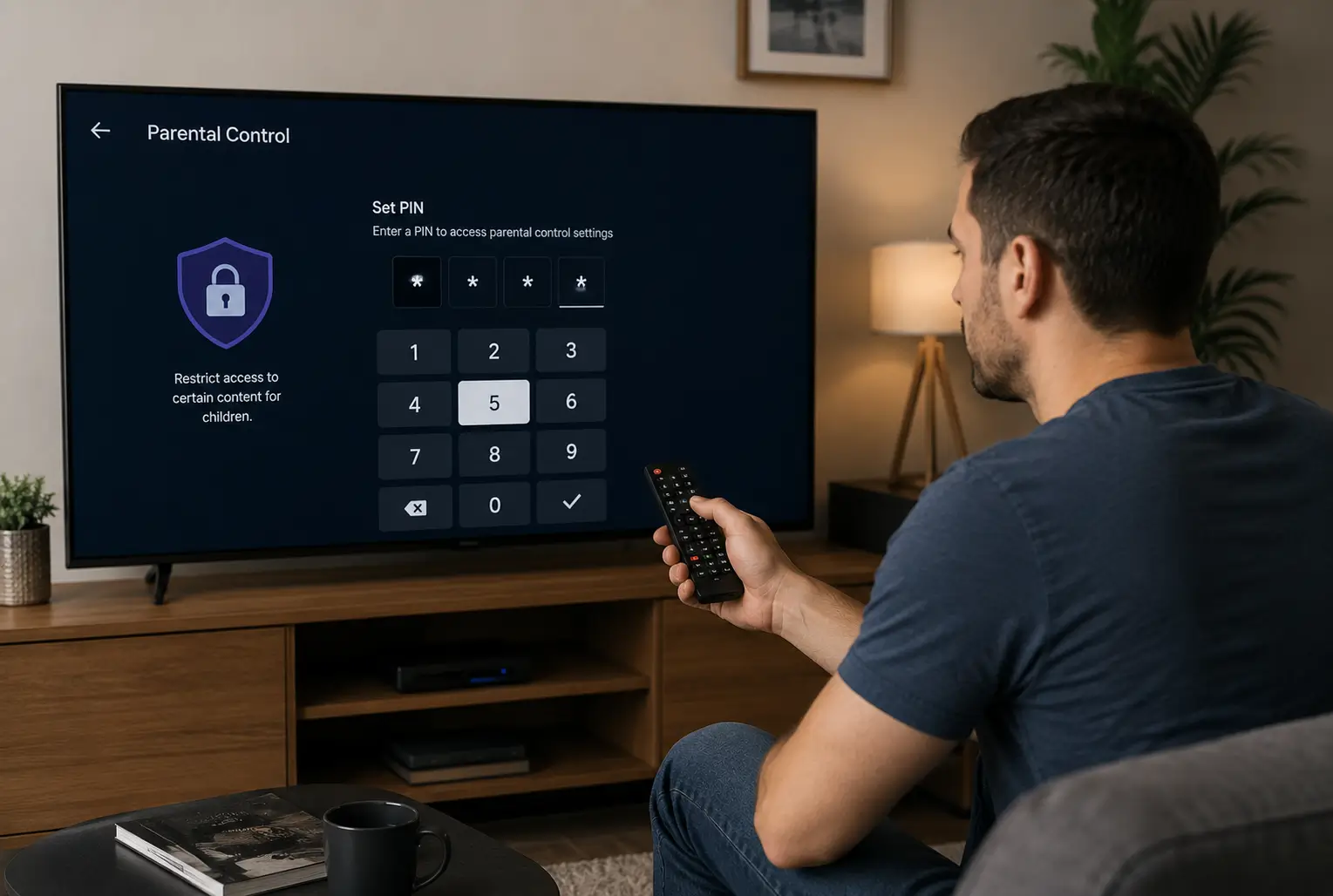
The default IPTV parental control password is usually 0000. That’s the factory PIN on MAG boxes, in Formuler’s MyTVOnline app and in many provider portals, and if it doesn’t work, try 1234, then check your provider’s welcome email. This guide lists the default for each app and box, shows how to lock adult channels and set your own PIN, and covers what to do when a PIN is forgotten, whether you’re setting up a new subscription from an IPTV provider or locking down one you already have.
1. What an IPTV Parental Control Password Is (and Where It Lives)
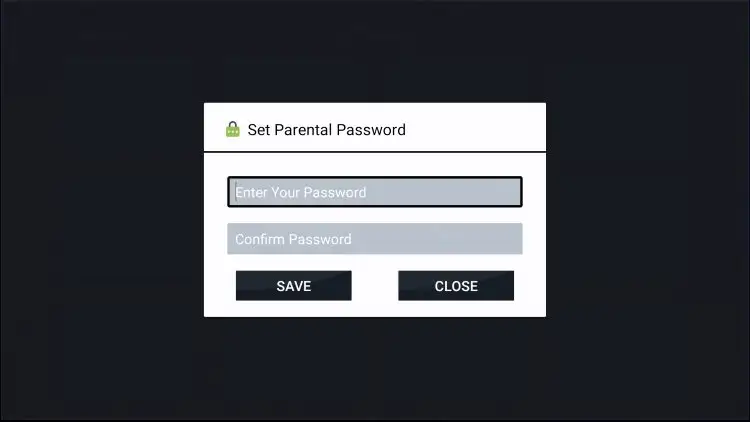
An IPTV parental control password is a 4-digit PIN that has to be entered before a locked channel, category or app will play. It keeps children out of adult and mature content without blocking everything else.
The confusing part is that there can be up to three separate PINs in one setup, and changing one doesn’t change the others:
| Where the PIN lives | What it locks | Who can reset it |
| The player app (IPTV Smarters Pro, TiviMate, XCIPTV) | Categories or channels inside that app, on that one device | You, by resetting the app (section 9) |
| The box or portal (MAG, Formuler, Dreamlink) | Channels and categories in the portal, sometimes adult content set by the provider | Often only your provider |
| The TV or streaming stick (Fire Stick, Google TV, Samsung) | Opening the IPTV app at all | You, with the device or account PIN |
Knowing which one is asking you for a PIN is half the battle. If the prompt appears inside the channel list, it’s the app or portal PIN. If it appears when you open the app, it’s the device PIN.
2. Default Parental Control Passwords by App and Device
The most common default is 0000, but it varies. Try the codes below in order before resetting anything.
| App or device | Default PIN | Notes |
| MAG boxes (Stalker/Ministra portals) | 0000 | Set by the portal. Some providers set their own and include it in the welcome email |
| Formuler (MyTVOnline) | 0000 (Formuler also suggests 1234 or 7777) | The content PIN is usually managed by the provider (Formuler’s help page) |
| IPTV Smarters Pro | Usually none: you create it the first time you open Parental Control | Some versions start at 0000 |
| TiviMate | None: you create it | Parental control is a TiviMate Premium feature |
| XCIPTV | Usually none: you create it | Some provider-branded versions use 0000 |
| Provider adult categories | Set by the provider, often 0000 | Check your welcome email or ask support |
| Samsung TVs (app lock) | 0000 | The TV’s own PIN, separate from any IPTV PIN |
Change it straight away. Everyone knows 0000 and 1234, including children, who usually try them within seconds of seeing a lock screen. The first thing to do after setup is replace any default with your own PIN (section 8).
3. What You Need Before You Start
You need the device the IPTV app runs on, its remote, the current PIN if one is already set, and about five minutes per device.
- The current PIN, if the app or box asks for one before letting you change settings. Try the defaults in section 2 first.
- Your provider’s welcome email, which sometimes lists an adult-content PIN.
- Your provider’s support contact, in case the PIN is managed on their side.
- A list of what to lock. Look through the category list once and note the adult, horror and mature groups. Category locks are faster and harder to get around than locking channels one by one.
- Each device in the house. App PINs are stored on the device, so a lock on the living-room TV doesn’t protect the tablet in the bedroom.
4. Set Up Parental Controls in IPTV Smarters Pro
Open Settings > Parental Control, create a 4-digit PIN, then choose the categories to lock.
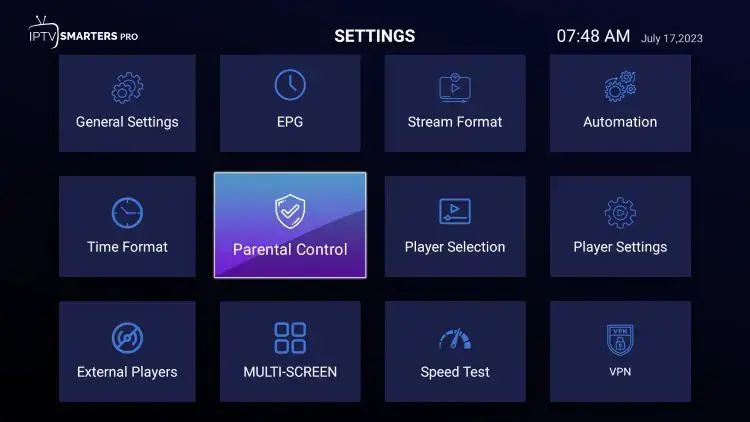
- From the home screen, open Settings (the gear icon), then Parental Control.
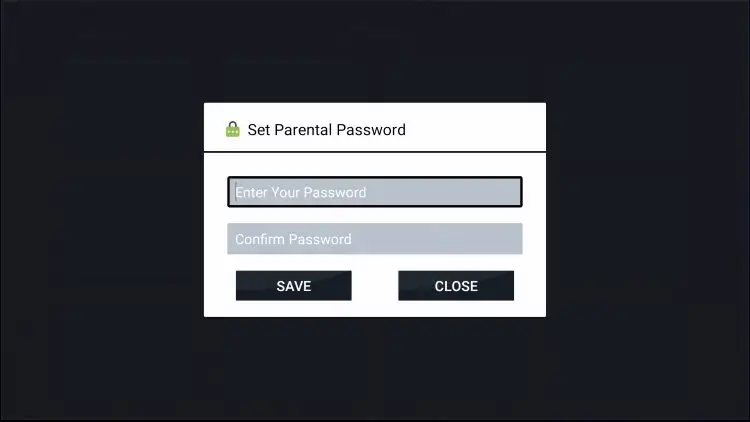
- Create a PIN when asked. If the app asks for an existing PIN instead, try 0000.
- Open the category lists (Live TV, Movies, Series) and select each category you want to lock.
- Save, then go back to the home screen and open a locked category to confirm it asks for the PIN.
Do this for each profile or playlist you’ve added, because locks are stored per playlist. If Smarters isn’t set up yet, our Smarters Pro login guide covers the install and login steps first.
XCIPTV works the same way. Open its Settings, find the parental control option, create a PIN, then lock categories. Our XCIPTV guide covers the rest of its setup.
5. Set Up Parental Controls in TiviMate
Open Settings > Parental controls, create a PIN, then hide or lock the groups you don’t want children to see. TiviMate needs a Premium licence for this.
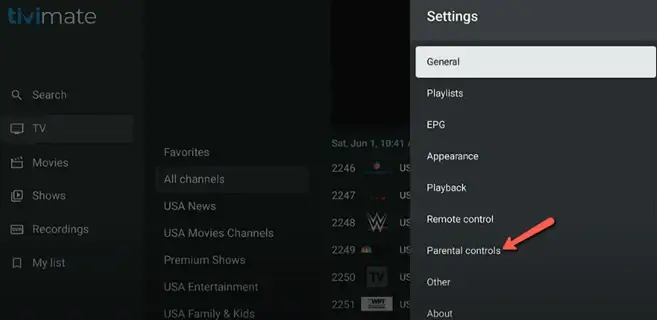
- Press the gear icon to open Settings, then choose Parental controls.
- Create a 4-digit PIN with the arrow keys, confirm it, and enter it again.
- Go back to the channel list and open Group options.
- Long-press Select on each group to lock and choose Hide group. Hidden groups need the PIN to come back.
- For a single channel inside an allowed group, long-press it in the channel list and use the lock or hide option.
Locked groups stay locked when your playlist refreshes. New groups the provider adds later start unlocked, though, so check the list after any big playlist change. Our TiviMate guide covers the full app setup.
6. Parental Controls on MAG and Formuler Boxes
On portal boxes, the parental PIN is usually 0000. You lock channels in the portal itself, and some adult content is locked by your provider.
MAG boxes:
- Open the channel list and highlight the channel you want to lock.
- Press the APP button on the remote. A padlock appears next to the channel.
- Enter the PIN (0000 by default) when asked. Locked channels now need the PIN to play or unlock.
- Change the PIN in the portal’s settings menu (the wording varies by portal) and choose a new code.
Formuler (MyTVOnline):
- In MyTVOnline, highlight the channel or group, open the options menu and choose Lock.
- Enter the parental PIN (0000 by default, or 1234 or 7777 on some versions).
- Change the PIN in MyTVOnline’s settings. The box’s system PIN (also 0000 by default) is separate and changed in the Android settings.
If a PIN you never set is being asked for, your provider manages it. Their support can confirm or reset it. Our Formuler, MAG and Dreamlink guide covers the rest of the portal setup.
7. Lock the Whole IPTV App on Your TV or Streaming Stick
The strongest control is a device-level lock that asks for a PIN before the IPTV app even opens. Children can’t get into the app’s settings, and clearing the app’s data doesn’t get around it.
- Fire Stick and Fire TV: go to Settings > Preferences > Parental Controls, turn them on with your Amazon account PIN, and turn on the option to require the PIN for app launches. Set up the Fire Stick itself with our Fire Stick guide.
- Google TV and Android TV: add a kids profile for your child and leave the IPTV app out of it. See our Android TV guide.
- Samsung TVs: open Apps, select the settings (gear) icon, highlight the IPTV app and choose Lock. The TV PIN is 0000 until you change it. Our Samsung guide covers the app setup.
- iPhone and iPad: use Screen Time on the child’s device to limit or block the IPTV app. See our iPhone guide.
A device lock plus a category lock inside the app is the setup to aim for. The first stops casual access; the second protects the grown-up content when the app is open.
8. How to Change Your PIN, and Choosing a Good One
Change the PIN in the same menu where you set it: enter the current PIN, then the new one twice.
- Smarters Pro: Settings > Parental Control > current PIN > new PIN.
- TiviMate: Settings > Parental controls > change PIN.
- MAG and Formuler: the parental or PIN option in the portal or MyTVOnline settings.
What makes a good PIN:
- Not a default: avoid 0000, 1234, 1111, 7777 and 8888.
- No patterns: avoid repeated or sequential digits (2222, 4567).
- Not guessable: avoid birthdays, house numbers and years your children know.
- Different from other codes: don’t reuse your bank card or phone unlock PIN.
- Written down safely: keep it in a password manager so you’re not locked out.
Change it again if a child watches you type it, after a babysitter or guest has used it, or every few months.
9. Forgot Your IPTV Parental Control PIN? How to Reset It
Try the defaults in section 2 first. If that fails, contact your provider before clearing anything, because provider-managed PINs can be reset without losing your settings.
- Try the defaults: 0000, then 1234, then the code in your welcome email.
- Ask your provider. Portal and adult-content PINs (MAG, Formuler, provider categories) are often set on their server, and support can reset them in minutes.
- Clear the app’s data (Android, Fire Stick and Android TV). Go to the device’s Settings > Apps, select the IPTV app, then Clear data. This resets the app PIN, but it also wipes your login, playlist and favourites. Keep your login details handy before you do it.
- Reinstall the app. On iPhone, iPad, Samsung and LG, delete and reinstall the app to reset its local PIN.
- Factory reset the box only as a last resort, and only for a box’s system PIN. Our IPTV box reset guide explains the options and what each one erases.
One thing to know: if clearing an app’s data resets its PIN, a child can do the same. That’s why the device-level lock in section 7 matters. It keeps them out of the settings where Clear data lives.
10. A Safer IPTV Setup for Canadian Families
Parental PINs work best as one part of a household setup: a device lock, category locks, and a check whenever the channel list changes.
- Recheck after playlist updates. New categories usually arrive unlocked, so look through the list after your provider adds channels.
- Ask your provider whether adult categories can be removed from your line entirely. Many providers can do this, which is simpler than locking them.
- Give children their own connection or profile where your plan allows, so their viewing and yours stay separate. Our guide on watching IPTV on multiple devices explains connection limits.
- Stick to licensed services. Unlicensed apps and pre-loaded boxes often come without working parental controls and can carry malware. Our guide on whether IPTV is legal in Canada explains how to tell a licensed service apart.
- Talk about it. The Canadian Centre for Child Protection has resources for parents on online safety. Locks work better when children know why they’re there.
Choosing a provider? Check that its apps support category locks and that support will reset a PIN. A free IPTV trial lets you test the parental controls on your own devices before you pay.
Frequently Asked Questions
What is the default parental control password for IPTV?
It’s usually 0000. That’s the default on MAG boxes, Formuler’s MyTVOnline and most provider portals. If 0000 fails, try 1234, then check your provider’s welcome email.
What is the password for adult channels on IPTV?
Your provider sets it, and it’s often 0000. If that doesn’t work, check your welcome email or ask support. Many providers can also remove adult categories from your account entirely.
How do I reset a forgotten IPTV parental PIN?
Ask your provider first, since portal PINs are often managed on their server. For app PINs on Android and Fire Stick, clearing the app’s data resets the PIN, but it also removes your login and playlist.
Does locking channels on one device lock them everywhere?
No. App PINs and locks are saved on each device. Set them up on every TV, stick and tablet, or use provider-level locks that apply to your whole account.
Can my kids get around IPTV parental controls?
On Android devices they can, by clearing the app’s data, unless the device itself is locked. Add a device-level PIN or a kids profile so the app and its settings can’t be opened without you.
Do all IPTV apps have parental controls?
No. IPTV Smarters Pro, TiviMate Premium, XCIPTV, MAG portals and MyTVOnline have them, but some lightweight players only lock their settings menu. For those, lock the app at device level instead.
Conclusion
Most IPTV parental control passwords start as 0000, so the first job is to replace it with a PIN only you know. Lock categories inside the app, add a device-level lock so the app can’t be opened or reset without you, and ask your provider about anything set on their side, such as adult-content PINs. Set it up on every device in the house, check the categories whenever the channel list changes, and keep the PIN in a password manager.
Related Articles
Can You Watch IPTV on Multiple Devices at Once?
How to Log In to IPTV Smarters Player
How to Set Up IPTV on TiviMate
How to Set Up IPTV on a Formuler Box (and MAG, Dreamlink or AVOV)