

 Written by Rana
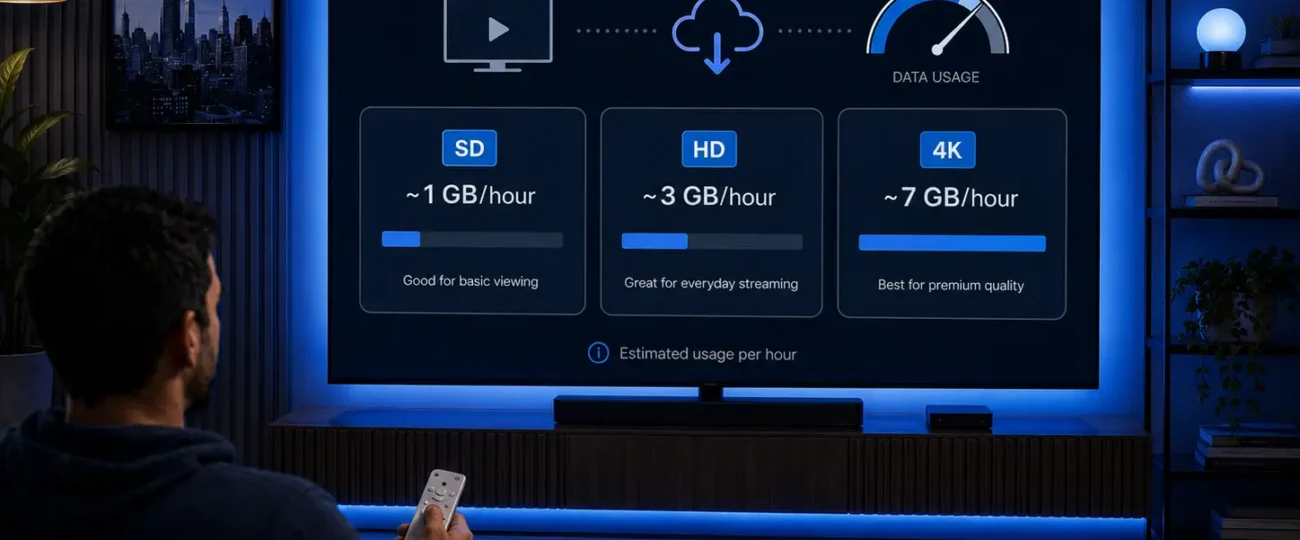
IPTV typically uses about 1 GB of data per hour in standard definition, 1.5 to 3 GB per hour in HD, and 7 GB or more per hour in 4K, so your total depends almost entirely on the video quality you watch and how long you watch it.
Because IPTV streams television over your internet connection instead of a cable line, every minute of viewing counts against your monthly data, which matters most if your plan has a cap.
The good news is that the numbers are predictable: once you know your usual quality and viewing hours, you can estimate your monthly use with simple math. Knowing these figures also helps you get the most out of a reliable IPTV service like IPTV Canada without unexpected charges.
This guide breaks down IPTV data use by quality, by day and month, for live versus on-demand, for sports, and shares clear tips to keep your usage under control. By the end, you’ll be able to look at your own habits and predict your monthly data within a few gigabytes, then choose the plan and picture quality that fit your home.
IPTV uses roughly 1 GB per hour in SD, 1.5–3 GB per hour in HD, and around 7 GB per hour in 4K. The exact figure depends on the video resolution and the way the stream is compressed, but these ranges hold true for almost any service. Live television can sit at the higher end of each range because live feeds are compressed in real time, leaving less room for efficiency.
The table below gives you a quick, at-a-glance view of how much data you can expect to use at each quality level, per hour, per three-hour evening, and over a typical month of about three hours of viewing a day.
| Video quality | Per hour | Per 3-hour evening | Per month (~3 hrs/day) |
| SD (480p) | ~0.7–1 GB | ~3 GB | ~90 GB |
| HD (720p) | ~1.5 GB | ~4.5 GB | ~135 GB |
| Full HD (1080p) | ~2–3 GB | ~9 GB | ~270 GB |
| 4K (Ultra HD) | ~7 GB+ | ~21 GB | ~630 GB+ |
These figures are estimates for a single stream on one device, so your real usage may vary slightly with the channel and content.
The higher the resolution, the more data IPTV uses, because each step up packs far more detail into every frame. SD (480p) is the most data-friendly choice and is fine on phones or small screens, using under 1 GB per hour. HD (720p) sharpens the picture and roughly doubles that, while Full HD (1080p) — the most common quality on TVs — uses about 2 to 3 GB per hour. 4K, or Ultra HD, is in a different league: it can use seven times more data than SD for the same hour of viewing.
In short, jumping from SD to 4K can multiply your data use by seven or more, so the resolution you pick is the single biggest factor in your monthly total. A helpful way to think about it: every extra level of sharpness you can see on screen is paid for in data behind the scenes, which is why the same show can cost very different amounts depending on how you watch it.
Your daily and monthly IPTV data use is simply your hourly rate multiplied by your viewing hours, so a few examples make it clear. If you mostly watch Full HD for around three hours a day, you’ll land near 270 GB a month; the same habit in SD drops to roughly 90 GB. Here are three quick scenarios:
As you can see, a 4K household can approach or exceed 1 TB a month, while a careful SD viewer stays comfortably low. Remember that each extra TV or device streaming at the same time adds its own usage on top.
Yes, live IPTV usually uses slightly more data than on-demand video at the same resolution. The reason is compression: on-demand files are prepared in advance and squeezed efficiently, while live channels are encoded on the fly, leaving less time to shrink the data. In practice the difference is modest — often 10 to 20 percent — but it adds up over long viewing sessions.
This is why a live channel in Full HD may use a little more than a recorded show in the same quality. If you’re watching many hours of live television each day, factor in this small premium when estimating your monthly total, especially on a capped plan. It’s rarely enough to change which plan you need, but it’s worth keeping in mind when your viewing is mostly live channels rather than recorded movies and series.
Sports and fast-moving live events use more data than calmer content at the same resolution. The reason is motion: action-packed scenes change rapidly from frame to frame, so the stream needs more data to keep the picture sharp and smooth. A still news desk compresses easily, but a fast hockey or soccer match does not, which pushes the bitrate higher.
That means an hour of live 4K sports can sit at the very top of the 4K range, sometimes beyond it. If you watch a lot of live sports, plan for higher usage than your average channel, and consider stepping down to HD during long events if your data plan is tight. Tournaments and full game days can stack several high-motion hours back to back, so a single sports-heavy weekend can use as much data as a normal week of regular viewing.
Audio and music channels on IPTV use only a small fraction of what video uses — typically about 50 to 150 MB per hour. Because there’s no picture to transmit, the data load is tiny compared to even SD video. This makes radio-style and music channels a great option when you want background entertainment without burning through your plan.
For perspective, you could listen to many hours of audio for the data cost of a single hour of HD video. So if you’re trying to stretch a limited data allowance, leaning on audio channels for casual listening is one of the easiest ways to save. Many people leave a music channel playing in the background for hours and barely make a dent in their plan, which simply isn’t possible with video.
Speed and data are two different things: speed is how fast the stream flows, while data is the total amount you use over time. You need enough speed to play your chosen quality smoothly — roughly 25 Mbps for HD and 50 Mbps for 4K — but a fast connection doesn’t change how many gigabytes you consume.
In other words, a 1 GbE connection and a 50 Mbps connection both use the same data for the same hour of Full HD; the faster one just avoids buffering. If you want a deeper look at the speeds that keep playback smooth, see our guide on the best internet speed for IPTV without buffering.
Understanding this difference helps you choose the right plan: pick your speed based on the quality you want to watch smoothly, and pick your data allowance based on how many hours your household streams each month.
You can cut IPTV data use significantly by lowering the video quality and being mindful of how you watch. The single most effective step is dropping from 4K or Full HD to HD or SD, which can slash your usage several times over with little impact on a smaller screen. Here are practical tips that work:
Applying even a couple of these can keep a heavy month well within a typical plan.
You can track IPTV data use directly from your router, your device, or your internet provider’s account dashboard. Most modern routers include a usage tracker that shows total data and often a breakdown by device, which is the easiest way to see how much your TV is pulling. On phones and tablets, the operating system’s data settings report usage per app, so you can isolate your IPTV player.
Your internet provider’s online account or app usually shows your monthly total and how close you are to any cap. Checking these once a week during heavy viewing months helps you spot trends early and adjust your quality before you hit a limit. It also makes it easy to tell whether your IPTV viewing, another device, or a large download is the real reason your data climbed in a given month.
Whether data caps matter for IPTV in Canada depends entirely on your plan, since some are unlimited and others are capped. Many home internet plans now offer unlimited data, in which case heavy IPTV viewing is no concern at all.
On capped plans, however, hours of daily Full HD or 4K can add up to hundreds of gigabytes a month and risk overage fees. It also helps to know that Canadian providers sometimes apply speed caps or throttling, which the Canadian tech publication MobileSyrup explains in plain terms.
If you’re on a capped plan and watch a lot, either choose a generous data allowance or keep your quality at HD to stay comfortably within your limit. For most households that stream daily, an unlimited or high-cap plan removes the guesswork entirely, while lighter viewers can stay on a smaller plan by sticking mainly to HD and SD.
About 1 GB in SD, 1.5–3 GB in HD, and around 7 GB in 4K, depending on the channel and compression.
Cable doesn’t use internet data at all, while IPTV does — so on a capped plan, IPTV counts toward your usage and cable wouldn’t.
Roughly 90 GB for steady SD viewing, around 135 GB for HD, and 270 GB or more for Full HD, based on about three hours a day.
Yes, a lot — HD can use less than half the data of 4K for the same hour, which is the quickest way to cut your usage.
Generally no, or very little; data is used while the stream is actually playing, though some apps keep buffering briefly after a pause.
No — a VPN protects your privacy but slightly increases data use due to encryption overhead; it won’t lower your total.
If you watch a lot in Full HD or 4K, unlimited internet removes any worry about caps or overage fees, making it the easiest choice for heavy viewers.
IPTV data use comes down to two things: the quality you watch and how long you watch it. As a rule of thumb, plan for about 1 GB per hour in SD, 1.5–3 GB in HD, and 7 GB or more in 4K, then multiply by your daily hours to estimate your monthly total.
If your internet is unlimited, you can watch freely at any quality; if it’s capped, keeping most viewing in HD and leaning on audio channels will stretch your plan a long way. Check your usage now and then, match your data allowance to your habits, and you can enjoy IPTV every day without surprises on your bill.

Premium IPTV subscription built for Canadian viewers