


 Written by Rana
Your IPTV keeps freezing at night because evening hours between 7 PM and 11 PM are peak internet usage times, when millions of people in your area are streaming, gaming, and downloading at the same time, causing network congestion that slows down your connection and disrupts your IPTV stream.
This is the most common reason for nighttime buffering, but it is not the only one. ISP throttling, overloaded Wi-Fi, outdated routers, and server-side issues can all contribute to the problem. The good news is that a reliable provider like IPTV Canada uses high-performance servers designed to handle peak traffic, and most freezing issues can be fixed on your end with a few simple adjustments.
Internet congestion happens at night because everyone in your neighbourhood is using the internet at the same time. Between 7 PM and 11 PM, households are streaming shows, playing online games, making video calls, and downloading files, all competing for the same bandwidth from your local ISP node.
Your internet plan may advertise 100 Mbps, but during peak hours the actual speed reaching your device can drop to 30 or 40 Mbps. This reduced bandwidth is often just enough for basic browsing but not enough for smooth HD or 4K IPTV streaming, which is why your picture freezes, pixelates, or buffers specifically at night.
Here is how peak hours affect your real speeds:
| Time of Day | Typical Speed (100 Mbps Plan) | IPTV Experience |
| Morning (6 AM–12 PM) | 85–100 Mbps | Smooth, no issues |
| Afternoon (12 PM–5 PM) | 70–90 Mbps | Smooth, rare buffering |
| Early evening (5 PM–7 PM) | 50–70 Mbps | Occasional micro-freezes |
| Peak hours (7 PM–11 PM) | 25–50 Mbps | Frequent freezing and buffering |
| Late night (11 PM–6 AM) | 90–100 Mbps | Smooth, no issues |
Yes, many internet providers in Canada deliberately slow down streaming traffic during peak hours, a practice known as throttling. Your ISP can detect that you are streaming video and intentionally reduce the bandwidth allocated to that type of traffic to manage network load.
This means your IPTV stream gets choked even if your overall internet speed test looks fine, because the ISP targets video traffic specifically.
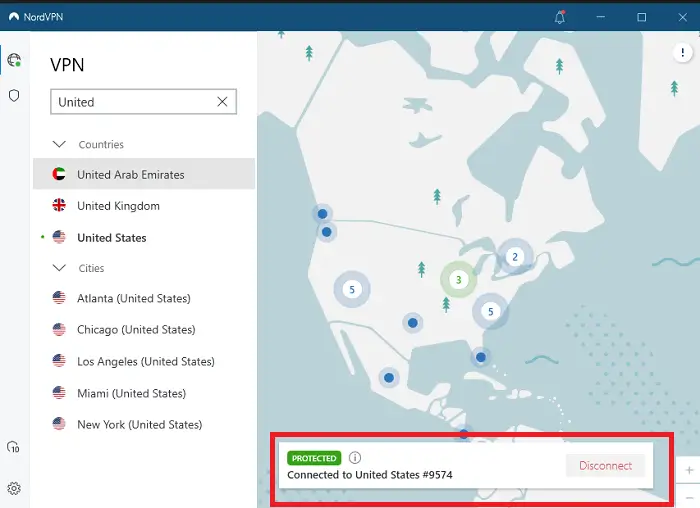
The easiest way to confirm throttling is to run a speed test, then connect to a VPN and run the test again, if your speed jumps significantly with the VPN active, your ISP is almost certainly throttling your streaming.
Signs that your ISP is throttling your IPTV:
In many cases, the real culprit is not your internet speed or your IPTV provider, it is your IPTV Wi-Fi connection. Wi-Fi signals weaken over distance and get disrupted by walls, furniture, appliances, and interference from neighbouring networks.
At night, when more devices in your home are active, phones, laptops, smart speakers, gaming consoles, your router has to divide its bandwidth between all of them, leaving less for your IPTV stream. Switching from Wi-Fi to a wired Ethernet connection is the single most effective fix for nighttime IPTV freezing.
Quick fixes for Wi-Fi related freezing:
Sometimes the freezing has nothing to do with your internet or your Wi-Fi, it is caused by your IPTV provider’s servers being overloaded. Just like your home internet gets congested at night, IPTV servers also experience peak demand when millions of users log in after work to watch live TV, sports, or movies.
Low-quality providers with underpowered servers struggle to handle this surge, resulting in buffering, freezing, and dropped streams. Premium providers invest in high-capacity server infrastructure with multiple redundant nodes to handle peak traffic without any degradation in quality.
How to tell if the problem is server-side:
Most nighttime freezing can be eliminated by following a few simple steps in order, starting with the easiest fixes and working up to more advanced solutions.
You do not need to be technical to apply these fixes, each one takes less than five minutes and can make a dramatic difference in your streaming quality.
Here is the complete troubleshooting checklist:
Switch to Ethernet : This alone fixes the majority of nighttime freezing issues by eliminating Wi-Fi interference.
Activate a VPN : Connect to a fast,
Nearby server to bypass ISP throttling and restore full streaming speed.
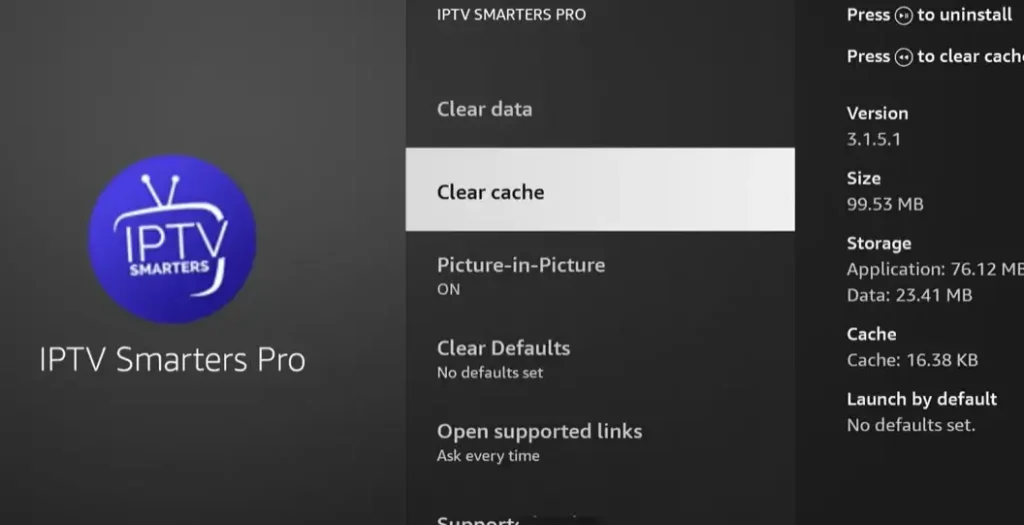
Clear your IPTV app cache : Go to Settings > Apps > your IPTV app > Storage > Clear Cache to remove corrupted temporary files.
Restart your router : Unplug it for 30 seconds and plug it back in to refresh the connection and clear any congestion.
Change your DNS : Switch to Google DNS (8.8.8.8) or Cloudflare DNS (1.1.1.1) in your router or device settings for faster channel loading.
Lower the stream quality : Temporarily switch from 4K or Full HD to HD (720p) to reduce bandwidth demand during peak hours.
Contact your provider : If none of the above works, ask your IPTV provider to check server status or assign you to a different server.
Because nighttime is peak internet usage time. Network congestion and ISP throttling are at their highest between 7 PM and 11 PM, which reduces your available bandwidth for streaming.
Yes, if the cause is ISP throttling. A VPN hides your traffic type so your ISP cannot selectively slow down your streaming. Choose a server close to your location for the best speed.
It is enough for one device in HD, but during peak hours your actual speed may drop below 25 Mbps. Having 50 Mbps or more gives you a comfortable buffer to avoid freezing.
Yes. A full cache forces your IPTV app to work harder and can cause stuttering. Clearing it once a week keeps the app running smoothly and reduces freezing.
Not necessarily. The issue is often Wi-Fi, throttling, or router performance rather than your plan speed. Try Ethernet, a VPN, and a router restart first before paying more for a faster plan.
Yes. Older routers cannot handle multiple simultaneous streams efficiently. A dual-band or Wi-Fi 6 router distributes bandwidth better and significantly reduces freezing across all devices.
If your internet speed is fast, you are connected via Ethernet, a VPN is active, and IPTV still freezes — the issue is likely on your provider’s server side. Contact their support to check.

Premium IPTV subscription built for Canadian viewers