How to Configure IPTV on IBO Player ?
To configure IPTV on IBO Player, first download the app from your device’s app store and locate the Mac address. Register and activate your player by entering the Mac address and purchase a license on the IBO Player website.
Add your IPTV Subscription playlists using an M3U link or Xtream Codes and restart the app to load channels. Explore customization and regularly update the app. Stayed tuned as you might discover advanced configuration tips.
1. Download the app on your device
Smart TV (Samsung / LG): On the Samsung Store or LG Content Store, search for IBO Player Pro, and download it.
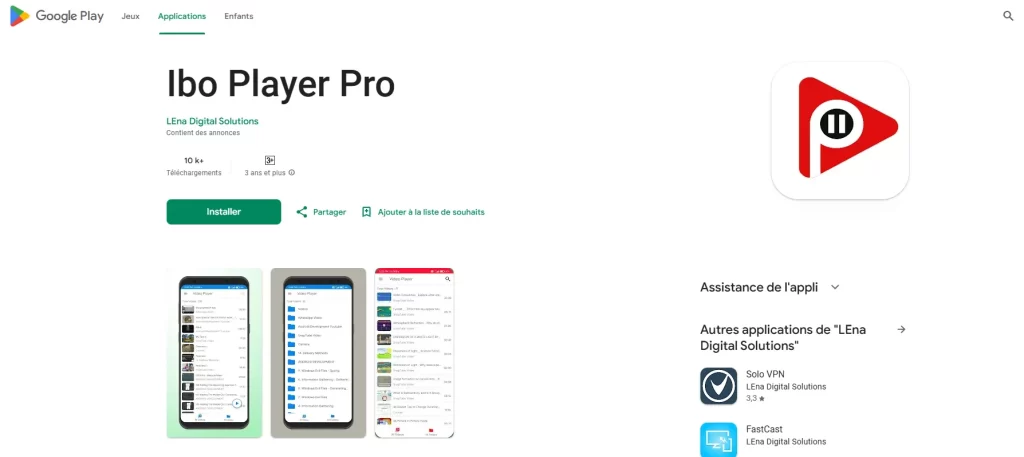
Android / Android TV: Visit the Google Play Store, search for IBO Player Pro, and install the app.
iOS (iPhone / iPad): Get the app from the App Store.
Firestick / Android Box: Use the Downloader app to enter the APK URL provided on the official IBO Player website and install it.
2. Open the app and note your credentials
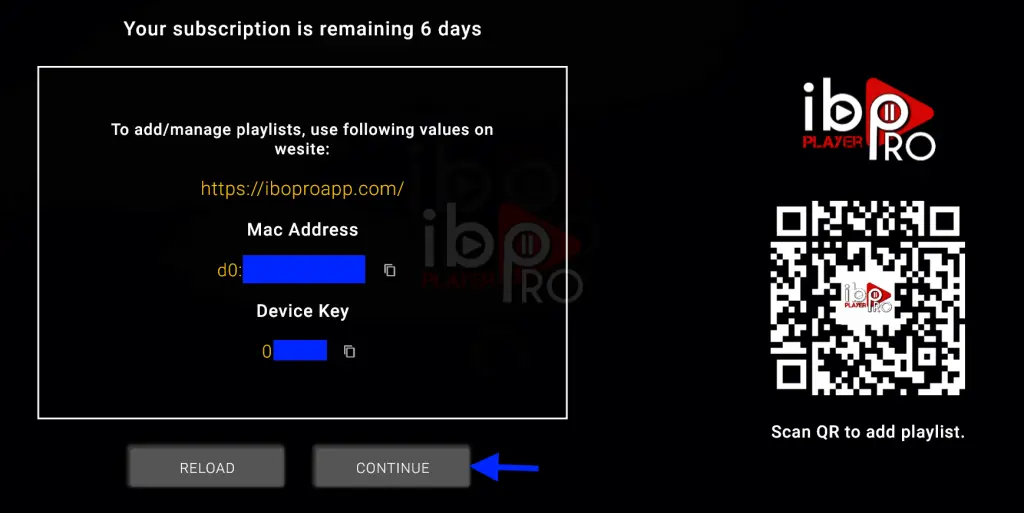
Once installed, launch the app. Take note of the MAC address and Device Key shown on the screen—you’ll need these to activate your device.
3. Activate your device
Using a web browser, visit iboiptv.com or iboplayer.com.
Click on “Activate Device” and enter your MAC address and Device Key.

You can start with a free trial (typically 7 days) before deciding to purchase an annual or lifetime license.
4. Add your IPTV playlist
Select how you want to add your playlist:
Using an M3U URL
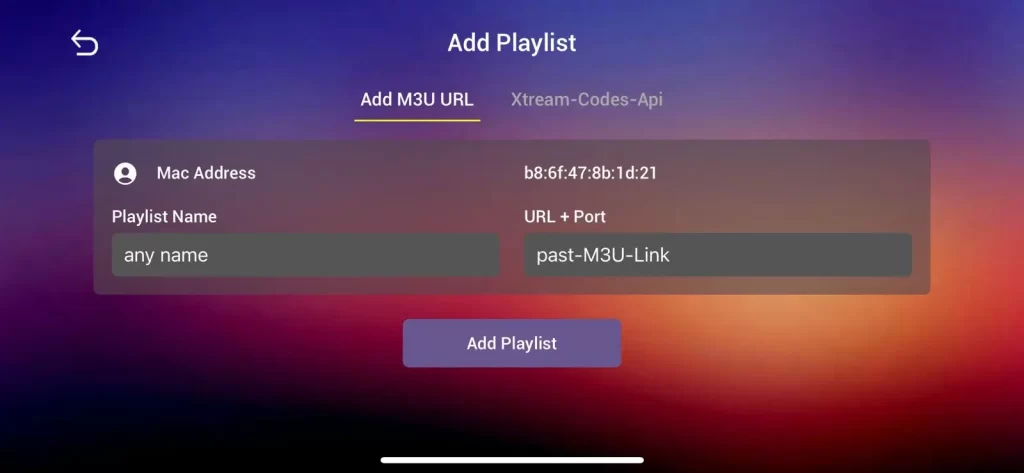
Or via Xtream Codes (URL, username, and password)
Then click “Save” to apply your settings.
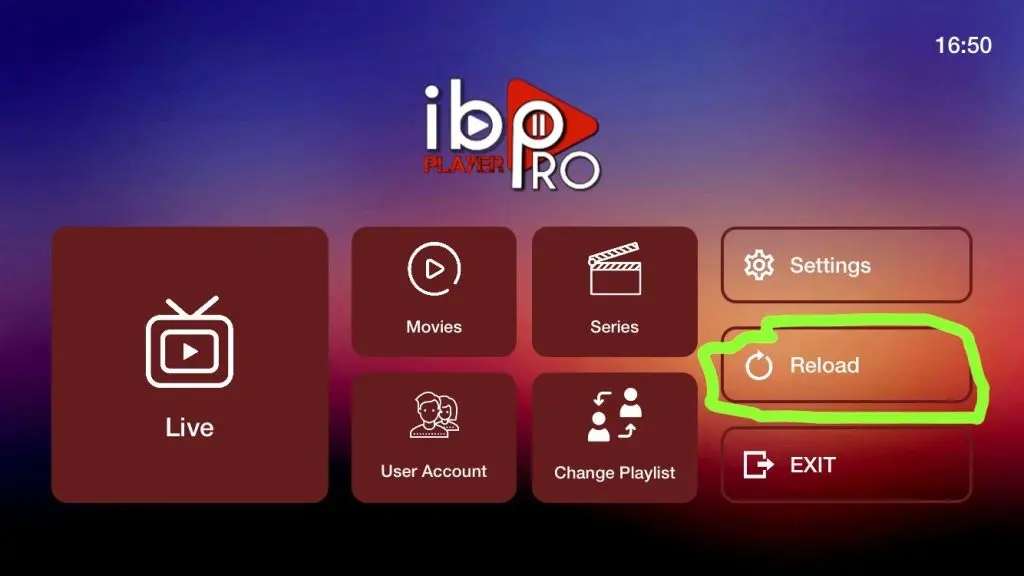
5. Restart the app on your TV
Return to your TV and restart IBO Player Pro. Your channels—including Live TV, movies, and series—will now be organized and ready to watch.
Frequently Asked Questions
What Is the Best IBO Player for IPTV?
You’re looking for the best IBO player for IPTV, right? The IBO Pro Player stands out due to its features, compatibility, and pricing. Reviews highlight its seamless updates and comprehensive support, making it a top choice.
How to Configure IPTV on Router?
To configure IPTV on your router, access the user interface and adjust router settings for IPTV protocols. Ensure network bandwidth supports streaming quality. Check device compatibility, and tweak firewall configurations for optimal performance. Save changes and restart.
What Is the IBO Player on a Smart TV?
You’re exploring IBO Player on a smart TV. It features seamless streaming and intuitive navigation. Enjoy its benefits like customization, language support, and regular updates. Its compatibility and performance are excellent. Consider alternatives if needed, evaluating installation ease.
How Does an IBO Player Work?
You’re tapping into IPTV technology with IBO Player, ensuring top-notch streaming quality. Its intuitive user interface allows seamless channel selection. With broad device compatibility and flexible subscription options, enjoy efficient content delivery tailored to your preferences.