How to Choose a Good IPTV Box?
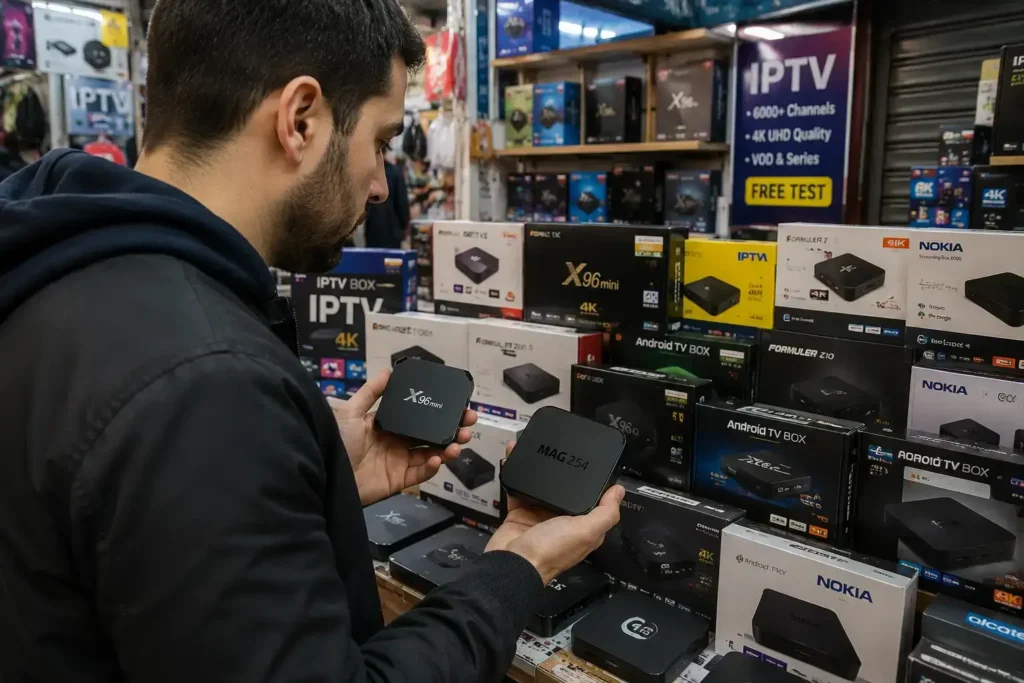
Choosing a good IPTV box comes down to seven key criteria: at least 2GB of RAM, support for 4K UHD playback, hardware acceleration, compatibility with major IPTV apps like TiviMate and IPTV Smarters Pro, regular firmware updates, multiple connectivity ports (Ethernet, HDMI 2.0, USB), and a reputable manufacturer with proper after-sales support.
Cheap boxes under 1GB RAM will buffer constantly regardless of your internet speed, and unverified imports often arrive pre-loaded with malware. The best results come from pairing a quality IPTV box with a reliable IPTV provider, like IPTV Canada is one example of a trusted Canadian provider that offers stable servers and full app compatibility for any modern IPTV box.
This guide walks you through everything that actually matters when picking an IPTV box, from hardware specs to red flags worth avoiding before spending a dollar.
What Makes an IPTV Box Good ?
A good IPTV box combines solid hardware specs, current firmware support, and proven compatibility with major IPTV apps. The minimum bar is 2GB of RAM, a quad-core processor, support for 4K UHD playback, and hardware acceleration to offload video decoding from the CPU.
Anything less and you’ll experience buffering on high-bitrate streams, even with a fast internet connection. The box should also receive regular firmware updates from the manufacturer, since outdated builds often lose compatibility with newer IPTV apps and stream protocols within months.
According to the Office of Consumer Affairs, Canadian consumers should always verify warranty terms and after-sales support before buying any electronic device, and IPTV boxes are no exception.
What Hardware Specs Should You Look For ?
The right hardware specs separate a streaming box that lasts three years from one that struggles within three months. RAM, processor, storage, and connectivity options all play a role in long-term performance. Below is a quick reference table for the minimum, recommended, and premium specs to look for :
| Spec | Minimum | Recommended | Premium |
| RAM | 2 GB | 4 GB | 8 GB |
| Storage | 8 GB | 16 GB | 32+ GB |
| Processor | Quad-core | Quad-core 64-bit | Octa-core 64-bit |
| Resolution | 1080p HD | 4K UHD | 4K UHD with HDR10 |
| Connectivity | Wi-Fi 5 + HDMI | Wi-Fi 6 + Ethernet + HDMI 2.0 | Wi-Fi 6E + Gigabit Ethernet + HDMI 2.1 |
The biggest mistake buyers make is focusing only on resolution. A 4K-capable box with only 1GB of RAM will still buffer constantly because the processor can’t keep up with the data flow.
Which Operating System Is Best for an IPTV Box?
Android TV is the best operating system for IPTV boxes thanks to its broad app compatibility, regular updates, and active developer community. It supports virtually every major IPTV app, TiviMate, IPTV Smarters Pro, XCIPTV, Perfect Player, and integrates cleanly with Google Play services for easy app management.
Custom Android-based systems found on cheaper boxes can work, but they often miss critical security updates and lack proper Google certification. Generic “Android” boxes from unknown brands frequently ship with outdated kernels and pre-installed bloatware that compromises performance and security. Always verify Google certification before buying.
What Should You Avoid When Buying an IPTV Box?
Avoid IPTV boxes sold on social media marketplaces, no-name imports without warranties, and any device advertised as “fully loaded” with thousands of free channels. These boxes are red flags for several reasons:
- Pre-loaded with unauthorized streams : illegal under Canadian copyright law.
- Often contain malware disguised as preinstalled IPTV apps.
- No firmware updates : the device becomes obsolete within months.
- No warranty or after-sales support : your money is gone if it breaks.
- Outdated hardware sold at premium prices to inexperienced buyers.
The Government of Canada’s consumer protection guidelines recommend always verifying the seller’s identity, return policy, and warranty terms before purchase. If a box is advertised as “lifetime free IPTV included,” walk away, that promise is illegal and the box is almost certainly compromised.
How Important Is App Compatibility?
App compatibility is the single most important software factor when choosing an IPTV box, because the box is only as useful as the apps it can run. The best IPTV experience depends on running stable, well-maintained apps like TiviMate, IPTV Smarters Pro, XCIPTV, or GSE Smart IPTV.
Boxes that block these apps or run outdated Android versions force you into proprietary players with limited features and poor stream handling. Before buying, verify that your chosen box supports sideloading APKs, has access to the Google Play Store, and runs at least Android TV 11.
A box without proper app compatibility is essentially a waste of money, no matter how good the hardware specs look on paper.
How to Match Your IPTV Box With a Reliable Provider ?
Matching your IPTV box with a reliable provider is what turns a good setup into a flawless streaming experience. The best hardware in the world won’t fix unstable servers, expired playlists, or providers that disappear after a month — the two pieces have to work together:
- Choose a provider with Xtream Codes API support : more stable than M3U and supports auto-reconnection.
- Verify the provider has redundant Canadian servers : ensures low latency and stable streams during peak hours.
- Confirm full EPG integration is included : a working program guide turns raw channels into a real TV experience.
- Look for 24/7 customer support : responsive support across multiple channels (chat, email, WhatsApp).
- Test the service through a free trial first : 24 to 48 hours is enough to confirm stability and quality.
- Match the provider’s recommended apps with your IPTV box’s compatibility (TiviMate, IPTV Smarters Pro, XCIPTV).
Pairing a quality IPTV box with the right provider essentially future-proofs your streaming setup, you get clear 4K playback, instant channel switching, and reliable performance during peak hours. Skipping any of these criteria is what causes most IPTV setups to fail, regardless of how good the hardware is.
Conclusion
Choosing a good IPTV box isn’t about chasing the cheapest model or the one with the most flashy specs on the box, it’s about matching solid hardware with reliable software and a trusted provider behind it. The boxes that genuinely last combine at least 2GB of RAM, 4K playback, hardware acceleration, full app compatibility, and ongoing firmware support from a reputable manufacturer.
Just as importantly, avoid the traps: no pre-loaded “free channel” boxes, no no-name imports from social media marketplaces, and no devices without warranty or after-sales support. These shortcuts always cost more in the long run, through buffering, malware, or hardware that becomes obsolete within months.
A quality IPTV box paired with a reliable Canadian IPTV provider transforms streaming from a frustrating chore into a seamless experience. Take the time to verify specs, app compatibility, and provider quality upfront, and you’ll enjoy years of stable, broadcast-quality streaming without the headaches that come with cutting corners.
Frequently Asked Questions
How much should I spend on a good IPTV box ?
A reliable IPTV box typically costs between $80 and $200 CAD. Anything significantly cheaper usually compromises on RAM, processor, or firmware support.
Is an IPTV box better than a Smart TV’s built-in apps?
Yes, in most cases. Dedicated IPTV boxes offer better app compatibility, faster processors, and longer software support than built-in Smart TV apps, which are often limited and rarely updated.
Do I need a 4K IPTV box if my TV is only HD?
Not strictly, but buying a 4K-capable box future-proofs your setup if you upgrade your TV later, and 4K boxes generally have stronger hardware overall.
Can I use an IPTV box with any provider?
Yes, as long as the box supports the IPTV apps your provider recommends — typically TiviMate, IPTV Smarters Pro, or XCIPTV. Always confirm app compatibility before buying.
Are pre-loaded IPTV boxes legal in Canada?
No. Boxes sold with thousands of “free” channels pre-installed almost always rely on unauthorized streams, which violate the Canadian Copyright Act and have been targeted by court-ordered ISP blocks.
Should I buy an IPTV box from a local store or online?
Both can work, but always verify warranty terms, return policy, and authentic Google certification. Avoid no-name imports from unverified marketplaces.
How long should a good IPTV box last?
A quality box with regular firmware updates typically lasts 3 to 5 years. Cheap boxes often become unusable within a year due to outdated software or hardware limitations.
How much RAM does a good IPTV box need ?
A minimum of 2 GB RAM is required for smooth playback, but 4 GB is now the recommended sweet spot for 4K streaming, multi-app usage, and faster channel zapping. Cheap boxes with only 1 GB will struggle with modern IPTV apps and high-bitrate streams.
Are Chinese-imported IPTV boxes safe to use?
Often no. Many no-name boxes from unverified marketplaces ship with outdated firmware, pre-installed adware, or even malware. Stick with brand-name boxes that offer warranty support, official firmware updates, and verified Google certification when relevant.
Do I need a separate remote for an IPTV box?
Most quality IPTV boxes ship with their own remote, often with dedicated voice control buttons and direct streaming app shortcuts. Some also support universal remotes or smartphone control apps for added flexibility.
Can I use my IPTV box on multiple TVs?
You can move a single IPTV box between TVs, but it can only be connected to one TV at a time via HDMI. To watch IPTV on two TVs simultaneously, you’d need either a second box, an HDMI splitter for the same content, or a network-based streaming setup.
What ports should a good IPTV box have?
Look for at least one HDMI 2.0 or 2.1 port for 4K output, an Ethernet port for stable wired internet, and at least 2 USB ports for external storage and accessories. SD card slots and digital audio output (S/PDIF) are bonuses worth having for advanced setups.
How important is hardware acceleration in an IPTV box?
Critical. Hardware acceleration offloads video decoding from the main processor, reducing buffering and freezing on high-bitrate streams. Without it, even a powerful CPU will struggle with 4K HEVC content. Always confirm hardware acceleration is supported before buying.
Can I install custom apps on any IPTV box?
Only on Android TV boxes with Google Play Store access or sideloading capabilities. Many cheap or proprietary IPTV boxes restrict app installation to a built-in store with very limited options. If app flexibility matters, buy an Android TV-certified box from a known brand.