What Is the Best IPTV App for Firestick?
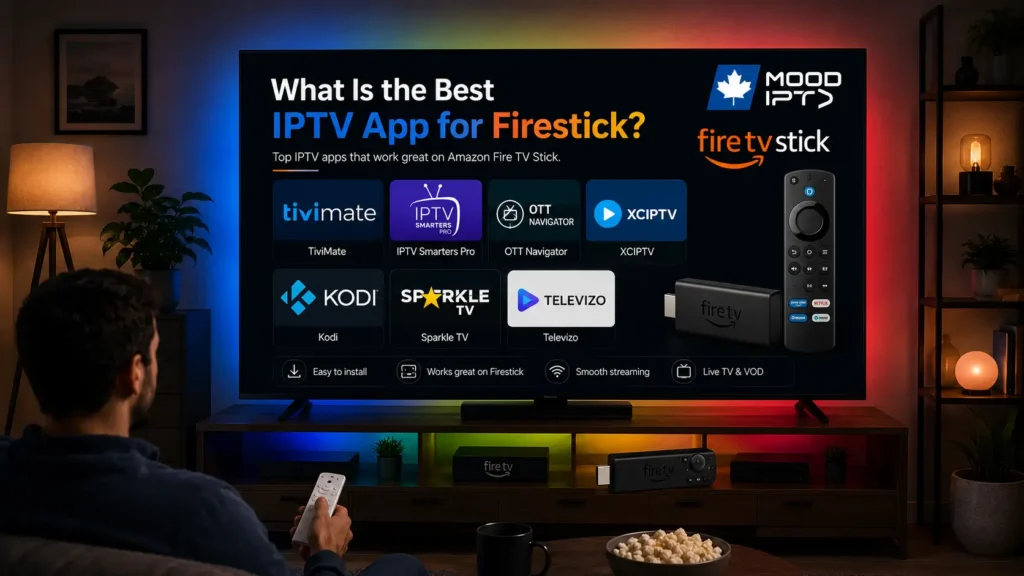
There’s no single answer that fits everyone, the best IPTV app for a Firestick depends on whether you want a polished program guide, the simplest possible setup, deep customization, or a full media center.
That said, a handful of players stand out consistently on Amazon’s device, and once you understand what each one is good at, the right pick becomes obvious. This article walks through the strongest options one by one, explains why each earns its place, then compares them head to head so you can choose with confidence.
One thing to know up front: most of the best IPTV apps aren’t in Amazon’s Appstore, so you’ll usually install them by sideloading, enabling installs from unknown sources, then using the Downloader app to fetch the official file. None of these players carry channels of their own; each is simply a shell fed by a legitimate, authorized source such as an IPTV subscription. With that framing in place, here are the contenders.
TiviMate

TiviMate is the app most enthusiasts reach for first, and for good reason: its program guide is the closest thing on Firestick to a real cable-TV experience. The grid is clean and fast, the now-and-next information is reliable, and the whole interface is clearly built for a remote rather than a touchscreen, which matters enormously on a Firestick, where you’re navigating with a d-pad.
It handles M3U and, with its paid Premium tier, Xtream Codes and multiple playlists, along with extras like recording and catch-up. The free version is already very usable; Premium unlocks the features power users care about. If a beautiful, responsive guide is your priority, TiviMate is hard to beat.
IPTV Smarters Pro
IPTV Smarters Pro is the safe, all-round choice, and it’s often the app a source will point you to because its layout is so widely understood. It splits neatly into Live TV, Movies, and Series, accepts both M3U links and Xtream Codes directly, and loads a guide automatically with Xtream sources.
Its strength isn’t flash, it’s consistency and simplicity. The same familiar login screen and interface appear whether you’re on a Firestick, a phone, or a smart TV, which makes it easy to help family members set up and to troubleshoot. If you want something that just works without much fiddling, this is the one to start with.
OTT Navigator
OTT Navigator is the choice for people who like to tinker. It offers an unusual depth of customization, you can reshape the layout, tune how the guide behaves, adjust playback and buffering, and bend the app around your exact preferences.
It supports M3U and Xtream Codes, handles EPG well, and includes catch-up and recording features where the source allows. That flexibility comes with a slightly busier interface, so it rewards users who enjoy digging into settings more than those who want to open the app and forget about it. For a Firestick user who wants maximum control, it’s excellent.
XCIPTV
XCIPTV is a modern, feature-rich player that sits comfortably between Smarters and the more advanced options. It presents live TV, movies, and series attractively, supports M3U and Xtream Codes, and includes multi-screen viewing and a built-in EPG. It’s frequently distributed as an APK, so sideloading via Downloader is the usual route.
XCIPTV appeals to users who want a contemporary look and a solid feature set without the learning curve of a full media center. It’s a strong middle-ground pick that many people settle on after trying a couple of others.
Kodi
Kodi isn’t a dedicated IPTV app at all, it’s a complete open-source media center — but with the PVR IPTV Simple Client add-on it becomes a capable live-TV platform, pulling in your M3U playlist and XMLTV guide.
Its appeal is that it does far more than IPTV: local media, other add-ons, and extensive customization all live under one roof. The trade-off is setup effort. Getting live TV configured in Kodi takes more steps than the purpose-built apps, and the remote navigation can feel heavier. For someone who already uses Kodi or wants a single hub for everything, though, it’s a powerful option.
Sparkle TV

Sparkle TV is a lesser-known but genuinely polished option built specifically with Fire TV and Android TV in mind. Its interface is smooth and remote-friendly, with a tidy live-TV grid, movies, and series laid out clearly, and it handles M3U and Xtream Codes without fuss.
It’s a paid app rather than a freemium one, which puts some people off, but the trade-off is a clean experience with no clutter and steady development. Sparkle TV suits the user who’s willing to pay a little for a refined, no-nonsense player that feels at home on the big screen and navigates effortlessly with the standard Firestick remote.
Televizo

Televizo is the lightweight pick for a Firestick that isn’t the newest or fastest model. It’s designed to stay responsive on modest hardware, so menus open quickly and playback starts without the lag that heavier apps can introduce on an aging stick.
It supports M3U and Xtream Codes, offers a functional EPG, and keeps its interface simple and legible. It won’t dazzle you with the depth of OTT Navigator or the polish of TiviMate, but that restraint is precisely the point: if you want a dependable, low-overhead player that runs smoothly on a basic or older Firestick, Televizo is a smart choice.
Which One Is Best? A Head-to-Head Comparison
Each app wins in a different area, so the “best” one depends on what you value most. The table below lines them up on the factors that matter most on a Firestick.
| App | Setup ease | Program guide | Customization | Cost | Best for |
| TiviMate | Easy | Excellent | Moderate | Free / Premium | The best guide experience |
| IPTV Smarters Pro | Very easy | Good | Low | Free | A simple, reliable all-rounder |
| OTT Navigator | Moderate | Very good | Extensive | Free / premium | Users who love to customize |
| XCIPTV | Easy | Good | Moderate | Free | A modern middle-ground pick |
| Kodi | Involved | Good (via add-on) | Extensive | Free | An all-in-one media center |
| Sparkle TV | Easy | Good | Moderate | Paid | A refined, no-clutter player |
| Televizo | Easy | Good | Low | Free / premium | Older or low-end Firesticks |
If you want one recommendation to start with, TiviMate offers the most television-like experience, while IPTV Smarters Pro is the easiest entry point if you’d rather not configure much.
How to Choose the Right One for You
Rather than chasing a single “best,” match the app to your priorities. Weigh these points:
- You want it to feel like real TV → TiviMate, for its polished, fast guide.
- You want the simplest setup → IPTV Smarters Pro, familiar and forgiving.
- You love fine-tuning every detail → OTT Navigator, for its depth of options.
- You want a modern look without complexity → XCIPTV, a balanced choice.
- You want one hub for IPTV and everything else → Kodi, at the cost of more setup.
- You’d pay for a clean, no-clutter player → Sparkle TV, refined and remote-friendly.
- You’re on an older or slower Firestick → Televizo, lightweight and responsive.
- Your source hands you Xtream Codes → any of these accept them; Smarters or TiviMate Premium make it especially smooth.
A practical approach is to try the free version of two apps side by side with the same source, they’re free to install, and the right fit usually becomes clear within a few minutes of navigating with the remote.
Frequently Asked Questions
Why do I have to sideload most of these apps?
Because they aren’t published in Amazon’s Appstore. You enable “Apps from Unknown Sources” in the Firestick’s developer options, install the Downloader app, and use it to fetch the official file. It sounds involved but takes only a few minutes.
Do any of these apps provide channels?
No. Every one is just a player. You need a legitimate, authorized content source, an IPTV subscription or a playlist you’re entitled to use, to have anything to watch.
Which app is the easiest for a beginner?
IPTV Smarters Pro. Its login screen and Live/Movies/Series layout are widely used and easy to follow, and it accepts both M3U and Xtream Codes without extra configuration.
Which app has the best program guide?
TiviMate is generally considered to have the best EPG on Firestick, fast, clean, and clearly designed for remote navigation.
Are these apps free?
Most are free to install. TiviMate and OTT Navigator offer paid tiers that unlock extra features, and Kodi is entirely free but takes more setup. In every case, your content source is separate from the app.
Will the same app work on my other devices?
Often, yes. IPTV Smarters Pro, OTT Navigator, and XCIPTV run across Android, Fire TV, and more, and TiviMate covers Android and Fire TV. The login and source setup are usually identical, so your credentials carry over.
Why does playback stutter on my Firestick?
Usually the connection or the video decoder. Prefer a strong 5 GHz Wi-Fi signal or an Ethernet adapter, switch the decoder in the app’s playback settings, and lower the resolution if your bandwidth is limited.
Conclusion
There’s no universal “best” IPTV app for Firestick, there’s only the best one for what you want. TiviMate delivers the most television-like guide, IPTV Smarters Pro is the easiest and most forgiving starting point, OTT Navigator rewards anyone who loves to customize, XCIPTV strikes a modern middle ground, and Kodi turns the whole device into a media center for those willing to set it up. Because they’re free to install, the smartest move is to try two of them with your own source and let the remote decide.
And as with every part of IPTV, the app is only half the equation. The clearest guide and the slickest interface still depend on what you feed them: a legitimate, authorized source and a stable connection, ideally wired or on strong 5 GHz Wi-Fi, are what turn any of these players into a genuinely good living-room experience.