What Is IPTV URL ?
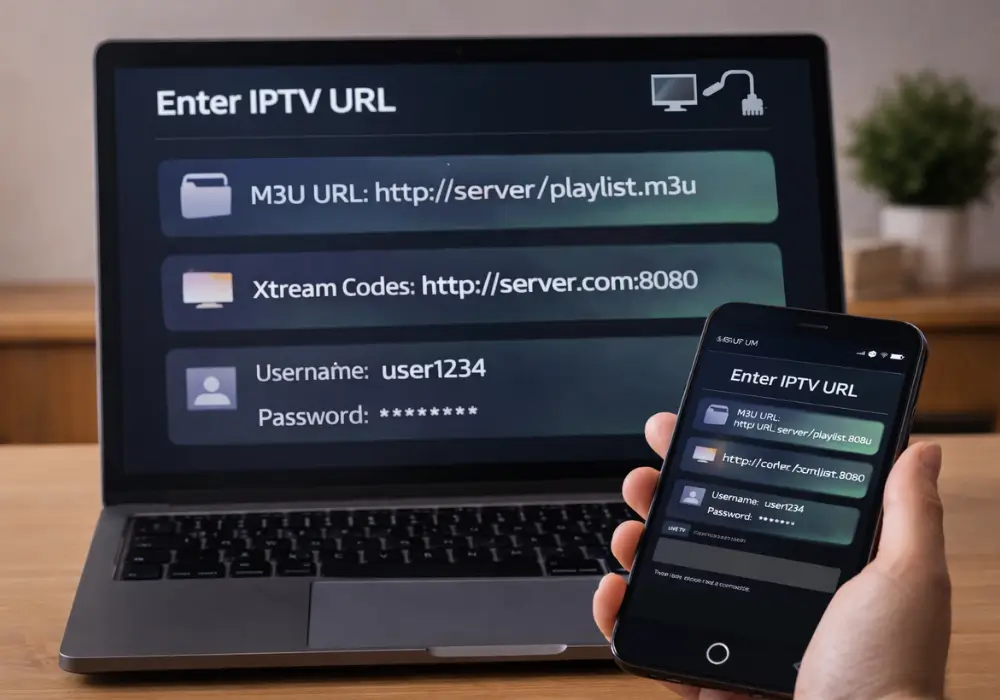
An IPTV URL is a standardized link that directs your media player to a streaming source, typically formatted as an M3U playlist or Xtream Codes API endpoint. It functions as both an access credential and directory pointer, enabling your software to parse channels, metadata, and EPG data via HTTP/HTTPS protocols.
You’ll encounter two primary formats, M3U and M3U8, each serving specific encoding and adaptive bitrate requirements that determine compatibility with your chosen player.
What’s an IPTV URL and How Does It Work?
At its core, an IPTV URL is a standardized link that directs your media player to a streaming source, either an M3U playlist file or an Xtream Codes API endpoint. When you input this URL into compatible software like TiviMate or VLC, your player parses the response to extract channel streams, metadata, and EPG data.
An M3U playlist contains structured entries with stream endpoints, channel names, and logo references. Your player reads these sequentially, building a navigable channel list. Xtream Codes URLs function differently, they authenticate via username/password parameters, then return playlist data through API calls.
Both formats rely on HTTP/HTTPS protocols for delivery. The URL essentially serves as your access credential and directory pointer, enabling your device to locate and decode the appropriate video streams.
M3U or M3U8: Which IPTV URL Format Do You Need?
How do you determine whether your IPTV service requires an M3U or M3U8 playlist format? The distinction centers on encoding and stream protocol compatibility.
M3U8 files use UTF-8 encoding, making them essential when your IPTV URL contains non-ASCII characters or references HLS manifests with .ts segments. If you’re accessing adaptive bitrate streams, M3U8 is the standards-compliant choice.
Most players,TiviMate, IPTV Smarters, VLC, accept both formats interchangeably. However, HLS-only applications specifically require M3U8 manifests for proper segment parsing.
Remember: changing a file extension doesn’t convert the underlying stream type. Your playlist simply points to endpoints; the actual content must match the referenced format. When using VPNs, verify your player supports HLS and maintains sufficient throughput for seamless playback.
Where to Find IPTV URLs for Free and Paid Streams
Tracking down reliable IPTV URLs depends on whether you are looking for free public streams or paid subscription services. For free IPTV, there are open-source repositories that host curated M3U playlists and publicly accessible endpoints. Some legal ad-supported streaming platforms also distribute public M3U8 URLs.
Paid providers usually deliver your IPTV URL through API credentials or private M3U links linked to your subscription. After registration, you typically receive server addresses, ports, and authentication details needed to configure your access.
It is also important not to overlook the EPG URL component. Certain repositories supply XMLTV-formatted guide data that synchronizes channel schedules with your playlist. You generally paste both the stream URL and the corresponding EPG URL into your application settings to enable full program guide functionality.
How to Add an IPTV URL in VLC, Kodi, and Popular Apps
Once you’ve obtained your M3U playlist or Xtream Codes credentials, the next step is configuring your preferred media client to parse and render the stream.
- VLC: Navigate to Media > Open Network Stream, input your IPTV URL, and click Play. Access View > Playlist to manage channels.
- Kodi: Install PVR IPTV Simple Client, configure the Remote Path/URL field with your M3U playlist, enable the addon, and restart.
- TiviMate: Add playlist via Xtream Codes or M3U Login, enter credentials, and link an XMLTV EPG URL.
- IPTV Smarters: Select Load Playlist/URL or Xtream API login to populate your IPTV Player interface.
Ensure 20+ Mbps connectivity and consider VPN integration for throttled or geo-restricted content.
IPTV URL Not Working? Common Fixes That Actually Help
When your IPTV URL fails to load, you’ll need to systematically rule out configuration errors before assuming provider-side failures. First, verify your playlist URL format, ensure it ends in .m3u or .m3u8 without stray characters or spaces.
Test the IPTV URL directly in your browser. A 404 error or timeout confirms server-side issues beyond your control. If connectivity checks pass, confirm your bandwidth meets requirements, 20 Mbps minimum for HD streams.
ISP throttling remains common. Deploy a VPN configured to your provider’s region if streams consistently fail. In IPTV Smarters and similar apps, clear cached data and reload your playlist to resolve parsing failures. Some applications require separate EPG URLs or Xtream Codes credentials, verify your player supports your specific URL format.
Frequently Asked Questions
What Exactly Is an IPTV URL?
An IPTV URL is a protocol-compliant address you’ll use to access streaming content, typically in .m3u or .m3u8 URL formats. You should consider IPTV security authentication and stream latency when configuring your player.
What to Do With an IPTV URL?
You’ll load the URL into a compatible player for stream buffer optimization, perform playlist editing to organize channels, and handle subscription management by updating credentials or switching mirror endpoints when protocols fail.
What Is a Portal URL in IPTV?
A portal URL provides your portal access to an IPTV provider’s server interface. You’ll typically need authentication methods like MAC address or credentials. For troubleshooting tips, verify your URL format follows HTTP/HTTPS protocol standards correctly.
How to Create a URL for IPTV?
You’ll need server provisioning with adequate bandwidth, then playlist generation by creating an M3U file containing #EXTINF metadata and direct stream URLs. Complete your stream setup by hosting the file on an HTTP-accessible endpoint.