Where to watch cartoons online securely ?
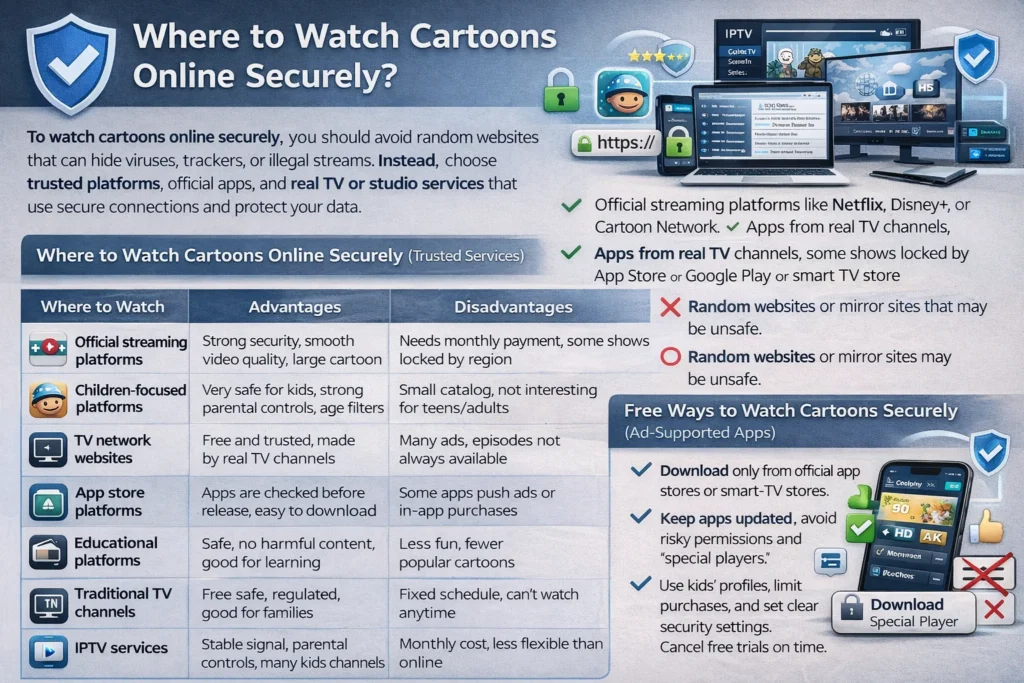
To watch cartoons online securely, you should avoid random websites that can hide viruses, trackers, or illegal streams. Instead, choose trusted platforms, official apps, and real TV or studio services that use secure connections and protect your data. If you use free options, only download apps from official app stores, keep them updated, and never click on pop-ups or messages asking you to install a “special player.”
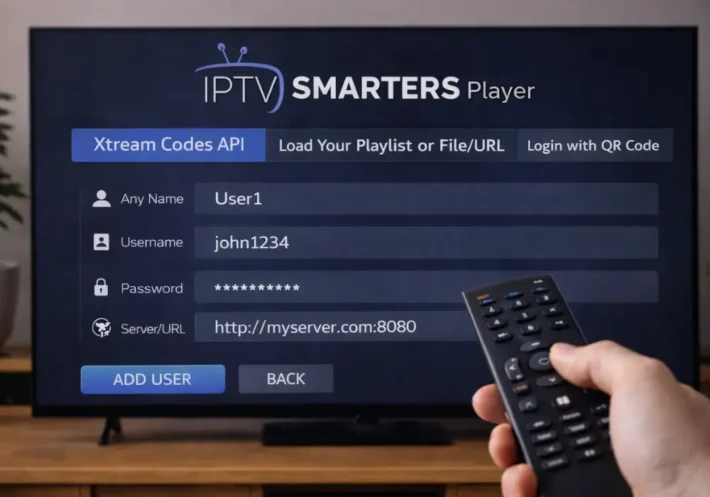
If you use an IPTV subscription, be careful. Choose a provider with a real website, clear contact details, and good user reviews. Test the service with a trial if possible and check that kids’ channels work smoothly without strange ads or redirections.
Where to Watch Cartoons Online Securely (Trusted Services)
| Where to Watch | Advantages | Disadvantages |
| Official streaming platforms | Strong security, smooth video quality, large cartoon library, works on many devices | Needs monthly payment, some shows locked by region |
| Children-focused platforms | Very safe for kids, strong parental controls, age filters | Small catalog, not interesting for teens/adults |
| TV network websites | Free and trusted, made by real TV channels | Many ads, episodes not always available |
| App store platforms | Apps are checked before release, easy to download on phone or TV | Some apps push ads or in-app purchases |
| Educational platforms | Safe, no harmful content, good for learning | Less fun, fewer popular cartoons |
| Traditional TV channels | Very safe, regulated, good for families | Fixed schedule, can’t watch anytime |
| Cable or satellite TV | Stable signal, parental controls, many kids channels | Monthly cost, less flexible than online |
| IPTV services | Huge cartoon and kids channel choice, works on many devices, often cheaper | Quality depends on provider, some are unreliable or unsafe, need to check reviews carefully |
What “Secure Streaming” Means for Cartoon Sites ?
Even if a cartoon website looks safe, “secure streaming” means more than just being easy to watch. It means the site or service, including when you use IPTV, should not expose you to risks like viruses from ads, stolen passwords, too much tracking, or illegal content.
A secure platform uses a safe connection (you see the lock icon in your browser or app), avoids too many ads or strange scripts, and does not collect more data than needed. This applies to websites, apps, and IPTV services you use on your TV, phone, or box.
It should also protect your account. Good platforms and good IPTV providers let you use strong passwords, sometimes offer extra protection like code verification, and warn you if someone tries to log in from a strange place. Your personal data should be stored safely and not kept longer than needed.
Free Ways to Watch Cartoons Securely (Ad-Supported Apps)
Often, the safest free cartoon streams come from real ad-supported apps that use licensed content instead of risky mirror sites that can hide viruses or steal data. You will see ads, but you gain safer streaming and fewer security risks.
Always download these apps from official app stores or smart-TV stores, keep them updated, and avoid giving useless permissions like contacts or SMS. Never install “special players” from unknown sources.
If you create an account, use a strong and unique password and turn on extra login protection if available. Choose platforms with clear privacy rules, use kids profiles, block purchases for children, and if you try free trials, remember to cancel on time.
Secure Streaming Setup: Browser, VPN, and Kids’ Profiles
Lock down your streaming setup so a single click can’t turn into tracking, malware, or policy violations.
Start with a secure browser that supports strict tracking protection, auto-updates, and HTTPS-only mode. Disable risky plug-ins, block pop-ups, and run reputable parental extensions to filter domains and enforce SafeSearch.
Next, use a VPN only when it’s allowed by your network, school, or service terms; compliance matters, and bypassing geo-restrictions can violate policies. If you do use one, pick a no-logs provider, enable a kill switch, and prevent DNS leaks.
Finally, create separate kids’ profiles on devices and streaming apps. Set age ratings, PIN purchases, limit autoplay, and review watch history for suspicious redirects.
Frequently Asked Questions
Can I Download Cartoons for Offline Viewing on Secure Platforms?
Yes, you can, but only if the service supports offline downloads and you’re within its terms. Stick to licensed archives, avoid shady apps, verify DRM, and comply with regional licensing to reduce malware and legal exposure.
Do Secure Cartoon Apps Work on Smart TVS and Gaming Consoles?
Yes, you can use many secure apps on a smart TV and consoles, but you’ll need verified platform support. Check app certification, controller compatibility, updates, and permissions to reduce malware, piracy, and compliance risks.
What Should I Do if a Secure Streaming App Keeps Buffering?
If a secure streaming app keeps buffering, you should check bandwidth, restart router, update app, and lower resolution. Don’t bypass security controls or use unvetted VPNs; document incidents, follow policy, and escalate to support.
Can I Share My Secure Streaming Account With Family Outside My Household?
You usually can’t share it with family outside your household; it often violates terms. Account sharing and password transfer raise takeover and fraud risks. Use official profiles or add-ons, and follow provider policies.