Can IPTV Be Shared ?
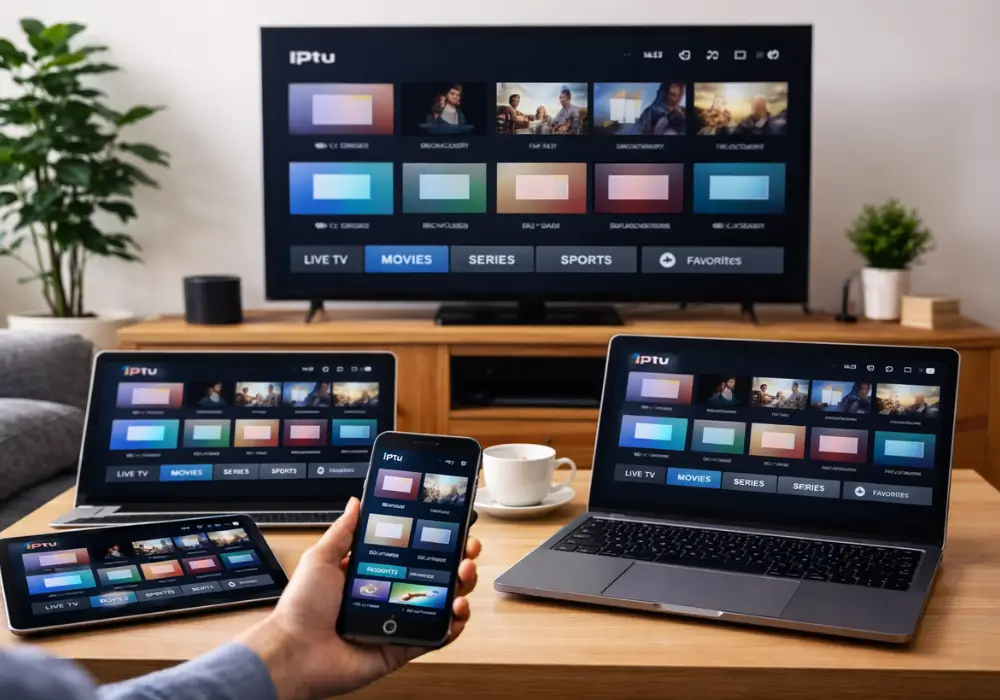
You can share your IPTV subscription, but you’re contractually bound by your provider’s concurrent-stream limits and device-authorization policies. Most plans permit one to ten simultaneous connections depending on your subscription tier.
Exceeding these thresholds through credential sharing or M3U cloning violates licensing agreements and can trigger account suspension or termination. Unauthorized redistribution may also expose you to copyright infringement liability. Understanding your provider’s specific terms and multi-room options below will help you stay compliant.
Why IPTV Providers Limit Account Sharing ?
While you might assume that account sharing restrictions exist solely to maximize revenue, IPTV providers actually enforce these limits due to a combination of technical constraints and legal obligations.
Licensing agreements with content owners mandate that providers restrict concurrent viewers to specific thresholds. Your subscription tiers, whether Basic, Premium, or Ultimate, directly correlate with permitted simultaneous streams, typically ranging from one to ten connections.
Device restrictions and bandwidth limits protect server infrastructure from overload. When you exceed your streaming limits by sharing credentials or cloning M3U links, you’re violating terms that can trigger account suspension.
Providers implement IP-based monitoring and device ID registration to maintain compliance. These aren’t arbitrary barriers, they’re contractual requirements ensuring providers honor their legal commitments while managing operational costs.
How Many Devices Can Use One IPTV Subscription ?
Because subscription tiers dictate your permitted concurrent streams, understanding your plan’s device limits is essential for compliance.
Most IPTV subscription plans permit between one and ten simultaneous streams, depending on your tier level. Basic packages typically allow one to two devices per account, while premium tiers may authorize up to eight or ten concurrent connections.
Your streaming bandwidth requirements vary significantly, HD/4K streaming demands 25+ Mbps per stream versus 5–10 Mbps for standard definition. Some providers implement device‑locked authentication through MAC or IP registration, while others offer flexible sub‑accounts for authorized sharing.
You should regularly monitor your account dashboard to track connected devices and ensure you’re operating within provider limits. Exceeding these thresholds violates terms of service and triggers automatic stream disconnections.
Risks of Unauthorized IPTV Sharing ?
| Aspect | Details |
| Exceeding Concurrent Connections | Sharing IPTV credentials or M3U links beyond the allowed number of simultaneous streams can trigger immediate compliance violations. |
| Account Consequences | Providers often enforce automatic suspension or permanent termination when limits are exceeded. |
| Legal Risks | Unauthorized redistribution may expose users to copyright infringement claims, DMCA notices, civil damages, and in severe cases criminal penalties. |
| Security Risks | Using cracked or unofficial IPTV apps increases exposure to malware, credential theft, and data breaches across all connected devices. |
| Public Link Distribution | Sharing via public links or pastebins can lead to takedowns, IP blacklisting, and service instability that also affects legitimate users. |
| Reseller Exposure | Resellers face higher risk when distributing access publicly, including account bans and platform restrictions. |
| Best Compliance Practices | Use secure multi-device plans, avoid public sharing, rotate passwords regularly, and audit connected devices to prevent unauthorized access. |
How to Share IPTV Within Your Provider’s Terms
Setting up IPTV sharing starts with verifying your provider’s concurrent-connection limit before adding any devices to your account. Basic plans typically allow 1–2 concurrent streams, while premium tiers support 3–5 devices. You’ll need to review provider account limits carefully to determine your household’s actual needs.
Use your provider’s device management dashboard to register and monitor active sessions. When configuring IPTV shared access, prefer M3U Xtream Codes credentials over device-locked activations for flexibility. Create sub-accounts if your provider offers them, and implement secure password sharing through a dedicated manager.
If you require additional concurrent streams, pursue a subscription upgrade rather than circumventing restrictions. Proper internet speed ensures optimal streaming quality across all authorized devices without violating your service agreement.
Frequently Asked Questions
Can IPTV Be Used on Multiple Devices?
Yes, you can use IPTV on multiple devices through multiroom streaming, but you’ll need to verify your subscription tiers’ simultaneous connections limits, ensure device compatibility with cross-platform apps, and comply with account sharing restrictions per your provider’s terms.
Is IPTV Subscription Legal in Canada?
Your IPTV subscription’s Canadian legality depends entirely on service licensing. Licensed providers comply with the regulatory framework, while unlicensed services carry copyright risks and piracy penalties. Court rulings enforce consumer protections, so you’ll want to verify your provider’s legitimacy.
What Are the Limitations of IPTV?
You’ll face bandwidth caps, latency issues, and network jitter affecting stream quality. DRM restrictions and content rights enforce regional blackouts. Codec compatibility and hardware limits constrain devices, while concurrent streams restrictions and service outages impact your viewing experience.
Can IPTV Be Detected?
Yes, IPTV can be detected through network monitoring, deep packet inspection, and traffic analysis. You’ll face encryption detection, stream fingerprinting, port scanning, metadata leakage risks, plus ISP throttling and geo blocking enforcement measures under regulatory compliance frameworks.