Can You Watch IPTV on Multiple Devices at Once?
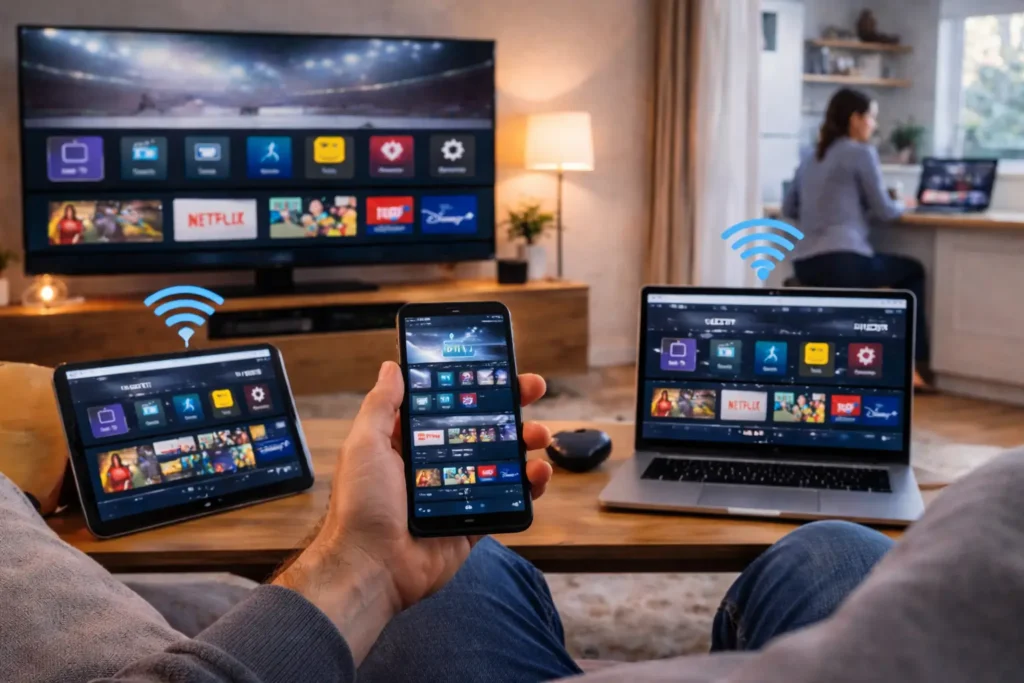
Yes, you can watch IPTV on multiple devices at the same time, but the number of screens you can use simultaneously depends on your subscription plan and your provider’s policy. Most IPTV services allow between 1 and 5 concurrent connections per account, meaning your entire household can enjoy different channels on different screens without needing separate subscriptions.
A reliable provider like IPTV Canada supports up to 5 simultaneous devices across Smart TVs, Fire Sticks, smartphones, tablets, computers, and IPTV boxes, making it easy for everyone in your home to watch what they want, when they want.
How Many Devices Can Stream IPTV at the Same Time?
Most IPTV providers allow between 1 and 5 devices to stream simultaneously on a single account, depending on the plan you choose.
Basic plans typically support just 1 connection, which works fine if you live alone or only watch on one screen.
Standard plans usually bump that up to 2 or 3 connections, which is enough for most couples or small households.
Premium plans can support 4 to 5 simultaneous streams, giving larger families the flexibility to watch completely different content on separate devices without any interruptions.
Before subscribing, always check how many connections are included in your plan so you pick the right option for your household size. Choosing a plan with too few connections means someone will always get locked out, while paying for more than you need wastes money.
Here is a quick breakdown of what most providers offer:
| Plan Type | Simultaneous Devices | Best For |
| Basic | 1 connection | Single users |
| Standard | 2–3 connections | Couples or small households |
| Premium | 4–5 connections | Families |
| Reseller / VIP | 5+ connections | Large households or resellers |
What Devices Are Compatible With Multi-Device IPTV?
IPTV works on virtually any device that connects to the internet, which is one of its biggest advantages over traditional cable or satellite. You are not limited to one screen in one room, the same subscription can run on your living room TV, your phone during a commute, and your tablet in bed, all at the same time.
The key is to install a compatible IPTV player app on each device and enter your subscription credentials. The most popular apps include IPTV Smarters, TiviMate, GSE Smart IPTV, and IBO Player, all of which support M3U playlists and Xtream Codes for easy configuration. This flexibility means every member of your household can enjoy their own content independently without fighting over the remote.
Here are the most commonly used devices for IPTV streaming:
- Smart TVs : Samsung, LG, Sony, and any Android-based TV with built-in app support.
- Amazon Fire TV Stick : One of the most affordable and popular IPTV streaming devices available.
- Android TV Box : A dedicated streaming box that turns any TV into a smart entertainment hub.
- Apple TV / iPhone / iPad : Works with IPTV apps available on the App Store.
- Windows and Mac computers : Using apps like VLC or dedicated IPTV players.
- Gaming consoles : PlayStation and Xbox can access IPTV through compatible apps or web browsers.
- MAG and Formuler boxes : Purpose-built set-top boxes designed specifically for IPTV.
Does Using Multiple Devices Affect Streaming Quality?
Yes, streaming on multiple devices at the same time can affect quality, but only if your internet connection is not fast enough to handle the combined load. Each device streaming in HD requires approximately 15 to 25 Mbps of bandwidth, so if three people in your household are watching simultaneously, you need at least 45 to 75 Mbps of total available speed.
If your connection drops below that threshold, you may experience buffering, pixelation, or freezing on one or more screens. The IPTV service itself does not reduce quality when multiple devices are connected, the bottleneck is almost always your internet speed or your Wi-Fi signal strength.
To get the best experience across all screens, connect your main TV with a wired Ethernet cable and make sure your router is recent enough to handle multiple simultaneous streams without dropping signal.
Here is a quick reference for the speeds you need:
| Number of Devices | Minimum Speed (HD) | Recommended Speed (HD) | For 4K Streaming |
| 1 device | 15 Mbps | 25 Mbps | 50 Mbps |
| 2 devices | 30 Mbps | 50 Mbps | 100 Mbps |
| 3 devices | 45 Mbps | 75 Mbps | 150 Mbps |
| 4–5 devices | 60 Mbps | 100 Mbps | 200+ Mbps |
Can You Use the Same IPTV Account From Different Locations?
In most cases, yes you can use your IPTV account from different physical locations as long as your provider allows it and your plan supports enough connections. For example, you could watch channels on your TV at home while a family member streams on their phone from a hotel in another city.
This makes IPTV incredibly convenient for people who travel frequently or have family members living in separate locations. However, some providers place restrictions on the number of unique IP addresses that can connect to the same account at the same time.
If too many different IPs are detected simultaneously, the provider may flag your account, temporarily block access, or even suspend the subscription. To avoid issues, always review your provider’s terms of service regarding multi-location usage before sharing your credentials.
What Happens If You Exceed the Device Limit?
If you try to connect more devices than your plan allows, the extra device will be automatically blocked from streaming. You will typically see an error message on your screen saying that the maximum number of connections has been reached and that you need to disconnect another device before continuing.
This is a very common issue in households where several people try to stream at the same time without realizing the plan only supports a limited number of connections. The fix is simple, close the IPTV app on a device that is not actively being used, which frees up a slot instantly.
If this happens regularly, it is a clear sign that you should upgrade to a higher plan with more simultaneous connections.
Here is what to do when you hit the limit:
- Close the app on unused devices : Make sure to fully exit the IPTV app, not just minimize it, to properly release the connection.
- Log out of devices you no longer use : Old phones, tablets, or boxes you forgot about may still be holding an active session.
- Restart the app on your current device : Sometimes a simple restart forces the server to refresh your connection count.
- Upgrade your plan : If you consistently need more screens, contact your provider to move to a plan with more simultaneous connections.
- Set household rules : Agree with your family on who watches when, especially during peak hours, to avoid constant conflicts.
Frequently Asked Questions
Can I watch IPTV on my phone and TV at the same time?
Yes, as long as your subscription plan supports at least 2 simultaneous connections and your internet speed is fast enough to handle both streams without buffering.
Do I need a separate subscription for each device?
No. Most IPTV plans allow multiple devices on a single account. You just need to choose a plan that includes enough connections for your household.
Does multi-device streaming cost more?
It depends on the provider. Some include multi-device support in all plans, while others offer it as a feature in higher-tier plans at a slightly higher price.
Can two people watch completely different channels at the same time?
Yes. Each connected device operates independently, so two people can stream two entirely different channels without any conflict or interference.
Will watching on multiple devices cause buffering?
Only if your internet speed is too slow to support all active streams. Make sure you have at least 15 to 25 Mbps available per device for smooth HD playback.
Can I share my IPTV account with someone in another city?
Technically yes, but some providers limit the number of unique IP addresses that can access the account simultaneously. Check your provider’s policy to avoid service interruptions.
What is the best IPTV app for multi-device use?
IPTV Smarters and TiviMate are the most popular and reliable options. Both apps support multi-device setups, offer clean interfaces, and are easy to configure with any provider.