Is It Safe to Use IPTV on Public Wi-Fi ?
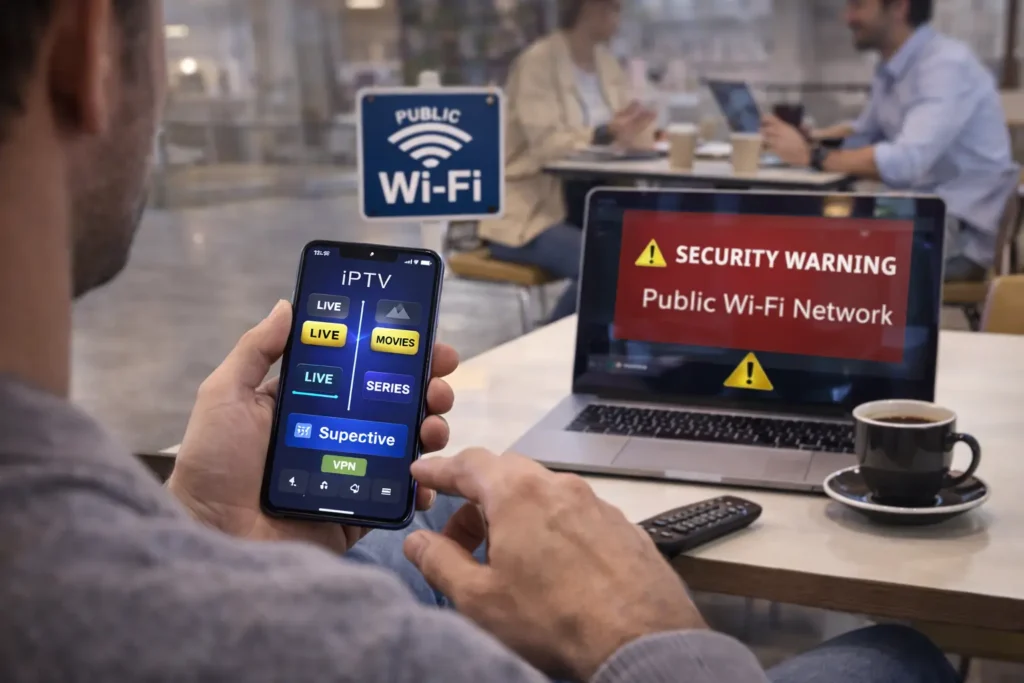
Using IPTV on public Wi-Fi is risky without protection, public networks in cafes, hotels, airports, and libraries are unencrypted and open to hackers who can intercept your IPTV login credentials, monitor your streaming activity, and even inject malware into your device through the same network.
The biggest danger is not the IPTV app itself but the open nature of public Wi-Fi, where anyone connected to the same hotspot can potentially see your data if it is not encrypted.
With a quality IPTV Subscription and the right security setup, you can stream comfortably on any public network without putting your privacy or your account at risk. Here is what you need to know and exactly how to protect yourself.
What Are the Real Risks of Watching IPTV on Public Wi-Fi?
The main risk is that public Wi-Fi networks rarely use encryption, which means any data your device sends or receives, including your IPTV username, password, and server URL, can be captured by anyone on the same network using basic hacking tools.
This type of attack is called a man-in-the-middle attack, and it requires almost no technical skill to execute on an open hotspot.
Beyond credential theft, hackers can also redirect your connection to fake login pages or push malware to your device through the unprotected network. Your IPTV viewing habits, IP address, and device information are all exposed on public Wi-Fi unless you actively encrypt your connection before opening any streaming app.
Does a VPN Make IPTV Safe on Public Wi-Fi?
Yes, a VPN is the single most effective tool to make IPTV safe on any public network. It creates an encrypted tunnel between your device and the internet, so even if someone intercepts your data on the public hotspot, all they see is scrambled, unreadable information.
Your IPTV credentials, streaming activity, and IP address are completely hidden from hackers, the network owner, and anyone else connected to the same Wi-Fi.
For public Wi-Fi use, choose a VPN with AES-256 encryption, a kill switch that blocks traffic if the VPN drops, and a no-log policy. Simply connect the VPN before opening your IPTV app, and your entire session stays private and secure.
Can Someone Steal Your IPTV Account on Public Wi-Fi?
Yes, if you connect to public Wi-Fi without a VPN and log into your IPTV app, a hacker on the same network can capture your username, password, and server URL in plain text.
With those credentials, they can log into your account from their own device, use up your simultaneous connections, or even lock you out by changing your access.
This is especially dangerous if you use the same password for your IPTV and other accounts like email or banking. The fix is simple: always use a VPN on public networks, and use a unique password for your IPTV account that you do not reuse anywhere else.
What Other Precautions Should You Take Besides a VPN?
Turn off automatic Wi-Fi connections on your device so it does not silently join unknown networks without your knowledge. Make sure your IPTV app and operating system are updated to the latest version, since updates patch security vulnerabilities that hackers exploit on open networks.
Enable two-factor authentication on your IPTV provider’s dashboard if available, this adds a second layer of protection even if someone steals your password.
Avoid logging into your IPTV provider’s website or payment portal while on public Wi-Fi, even with a VPN, save account management for your home network. Finally, use HTTPS-based playlist URLs whenever possible, as they add basic encryption to the stream itself.
Is It Better to Use Mobile Data Instead of Public Wi-Fi for IPTV?
Mobile data is significantly safer than public Wi-Fi for IPTV because your cellular connection is encrypted by default between your phone and the cell tower, making it extremely difficult for anyone nearby to intercept your traffic.
You do not need a VPN on mobile data for basic security, although using one still adds an extra layer of privacy and can prevent ISP throttling.
The trade-off is data usage, IPTV streaming consumes roughly 1 to 3 GB per hour depending on quality, which can eat through a limited data plan quickly. If you have an unlimited mobile plan, using mobile data is always the safer and more reliable choice when you are away from home.
Frequently Asked Questions (FAQ)
Can I watch IPTV on hotel Wi-Fi safely?
Only if you use a VPN. Hotel Wi-Fi is a public network and carries the same risks as any open hotspot. Connect your VPN before opening the IPTV app and you will be protected.
Will IPTV work on public Wi-Fi that requires a login page?
Yes, but connect to the Wi-Fi and complete the login page first. Then activate your VPN, and only after that open your IPTV app to keep your credentials secure.
Can the Wi-Fi owner see that I am watching IPTV?
Without a VPN, yes the network owner can see your traffic and the domains you connect to. With a VPN, they can only see encrypted data and cannot identify what you are streaming.
Is free public Wi-Fi fast enough for IPTV?
It depends on the location. Airport and hotel Wi-Fi can sometimes handle HD streaming, but most cafe and library hotspots are too slow and congested for a smooth IPTV experience.
What happens if my VPN disconnects while watching IPTV on public Wi-Fi?
Your traffic becomes exposed instantly. That is why you should always enable the kill switch feature in your VPN settings, it blocks all internet traffic if the VPN connection drops.
Can hackers access my device through my IPTV app on public Wi-Fi?
The IPTV app itself is not the entry point, but the open network is. Hackers can exploit unprotected connections to push malware or intercept data. A VPN and updated software prevent this.
Is mobile hotspot safer than public Wi-Fi for IPTV?
Yes, much safer. Your personal mobile hotspot is a private encrypted connection that only your devices can access. It is the next best thing to your home Wi-Fi.